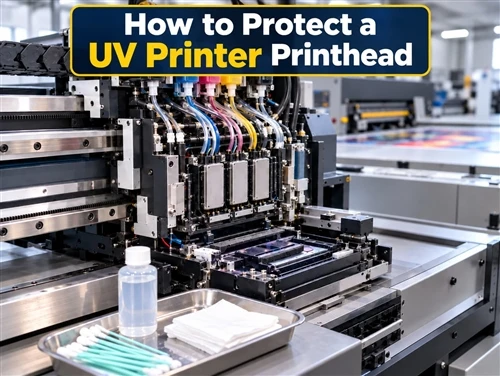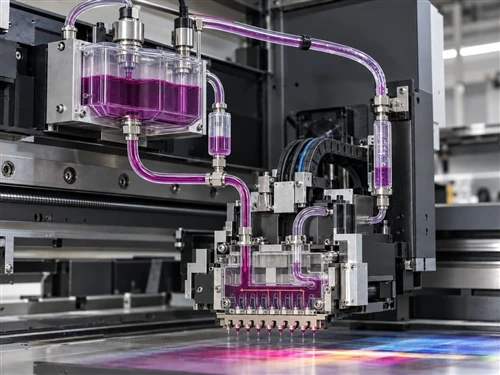


UV printer ink misting, often described as flying ink or overspray, usually appears as fine stray droplets, fuzzy edges, random dots, or a light haze outside the intended image. It does not automatically mean the printhead is damaged.
A useful troubleshooting sequence is to separate the problem into a few different branches: printhead gap, static electricity, airflow, nozzle or ink-system condition, and jetting settings such as waveform and drive conditions. Check the simplest physical causes first. Only move into waveform, voltage, pressure, or firmware-related settings after the basic conditions are stable.

Quick Diagnosis: Which Cause Should You Check First?
| What You See | Check First | Why It Matters |
|---|---|---|
| Fine stray dots or fuzzy edges become worse when the carriage is raised | Printhead gap | A larger gap gives droplets more time to be affected by airflow, static charge, and jetting variation. |
| The same file prints differently on different materials, or the problem changes after removing protective film | Static electricity | Surface charge can deflect droplets before they reach the intended landing point. |
| Mist changes when a fan, air conditioner, extraction system, or air jet is turned off | Airflow | Direct air movement across the droplet path can scatter small droplets. |
| A nozzle test shows the same missing or deflected nozzles repeatedly | Printhead surface, nozzle condition, and ink path | The defect may be a nozzle or ink-delivery problem rather than a pure misting problem. |
| The nozzle test is clean, but mist started after changing ink, a printhead, firmware, or jetting settings | Waveform and drive configuration | Droplet formation depends on the match between the ink, printhead, and drive waveform. |
This table is a starting point, not a substitute for the printer manufacturer's service procedure. If more than one condition changed at the same time, restore a known stable setup and test one variable at a time.
What Does UV Printer Ink Misting Look Like?
True ink mist usually appears outside the intended dot placement. You may see fine scattered droplets around text, soft edges around graphics, a light fog of ink near the printed area, or contamination collecting around the carriage and printhead area.
Do not confuse misting with every blurred print. Banding, bidirectional misalignment, product movement, missing nozzles, poor fixture accuracy, and poor adhesion can create different defects that look similar from a distance.
A nozzle test is one of the fastest ways to separate these branches. If the nozzle pattern is already missing, deflected, or unstable before the production print begins, resolve that condition first. Dacen's UV printer printhead maintenance guide covers the maintenance side in more detail.
1. Check the Printhead Gap
The printhead gap is the distance between the nozzle surface and the product being printed. As that distance increases, droplets travel farther before reaching the surface. This makes placement more sensitive to airflow, static electricity, product geometry, droplet velocity, and jetting stability.
Mimaki's official troubleshooting guidance also identifies excessive head gap as a cause of mist-like droplets and recommends adjusting head height according to the media and the machine's own procedure. The important point is that there is no single universal gap that should be copied from another printer. See Mimaki's mist-like droplet troubleshooting guidance.
How to Tell Whether the Gap Is the Main Problem
- The print becomes noticeably sharper when the gap is reduced within the approved machine range.
- The problem is worse on recessed, uneven, warped, or high-drop products than on a flat sample.
- Different parts of the same object show different edge sharpness because the actual nozzle-to-surface distance changes.
- A loose fixture, raised tape, product runout, or an incorrect height reading has forced the carriage higher than expected.
Do not lower the carriage simply to chase better image quality. Check the complete travel path first. A warped product, raised fixture edge, loose tape, or height variation can turn a quality adjustment into a head-strike risk.
For recessed or high-drop work, the gap decision must be made together with fixture design, height detection, product geometry, and collision protection. Dacen's guide to printing high-drop products with a UV flatbed printer provides additional application context.

2. Check Static Electricity on the Product
Static electricity is one of the most important causes to test when ink mist changes with the product material or handling method. A charged surface can influence droplet flight and cause ink to land outside the intended position.
Both Mimaki and Roland DG document static-related misting problems. Roland DG states that a charged object can contribute to mist generation, dot drop-out, ink smearing, and dripping. Mimaki also describes droplet deflection and fuzzy print results when static is present. See Roland DG's static-related misting troubleshooting.
When Static Should Move to the Top of the Checklist
- The same artwork prints normally on one material but mists on another.
- The defect changes after protective film is peeled from the product.
- The problem becomes more noticeable under dry environmental conditions.
- The print improves after the surface is properly neutralized without changing the print file or print mode.
If an electrostatic field meter is available in your production environment, it can provide a more repeatable comparison than touch or visual judgment alone. Measure consistently at the same location and distance before and after neutralization, and follow the meter manufacturer's procedure. Avoid inventing a universal voltage threshold for all materials and printers.
Dacen already has a dedicated guide on how to eliminate static electricity on a UV printer. Use that topic as a supporting static-control reference rather than treating every flying-ink problem as a static problem.

3. Check Direct Airflow Across the Droplet Path
Small ink droplets can be affected by direct airflow before they reach the product. Air conditioners, fans, compressed-air tools, extraction systems, or other air movement aimed across the active print zone can change droplet landing.
This is also supported by Mimaki's official ink-mist troubleshooting, which advises checking whether the printer is being influenced directly by wind or air-moving equipment.
Flatbed and Cylindrical Printing Need Different Static-Control Thinking
For a UV flatbed printer, an ionizing or anti-static device can often be positioned so charge is reduced before or around the print-carriage path, provided the installation matches the machine design.
For a cylindrical UV printer, static control may need a different approach. In the practical troubleshooting method used for rotating products, direct blowing into the active printing area is avoided, and the product is neutralized before printing with a suitable static-control device. The purpose is to reduce charge without adding another source of droplet disturbance during the print.
This is an application-specific operating approach, not a universal rule that all cylindrical printers must have zero airflow under every condition. The printer design, curing system, extraction layout, product diameter, fixture, and static-control equipment still matter.
Can Alcohol Be Used to Reduce Static?
Alcohol can be a temporary or conditional measure on some media, but it should not be treated as the primary static-control strategy for every job. Mimaki notes that wiping certain media with alcohol can reduce static, while also warning that wipe marks may remain. See Mimaki's official static-control guidance.
Before using alcohol, confirm that the product material, coating, primer, cleaning procedure, and production safety requirements allow it. A surface-cleaning method that reduces static but damages the coating, changes adhesion, or leaves visible marks has not solved the production problem.
4. Separate Ink Misting From a Nozzle or Ink-System Problem
Not every scattered-dot defect begins with the print gap or static. Contamination on the nozzle surface, air in the ink path, unstable pressure, a damaged damper, a blocked filter, or other ink-delivery problems can also produce unstable jetting.
Use the Nozzle Test as a Branch Point
- Clean nozzle test, but mist on the production print: check gap, static, airflow, and jetting configuration first.
- The same nozzles repeatedly missing or deflecting: inspect maintenance condition, nozzle surface, cap station, wiper, and the ink-delivery path according to the printer procedure.
- Missing nozzles change position from test to test: the issue may involve air, contamination, or ink-delivery instability rather than a simple static problem.
Avoid repeated aggressive cleaning when the real cause is an excessive gap, static charge, direct airflow, or a configuration mismatch. Cleaning cannot correct those physical conditions.
5. Suspect Waveform or Drive Conditions Only After the Physical Checks
A piezoelectric printhead uses a drive waveform to form and eject droplets. Fujifilm explains that waveform design influences droplet size and velocity and that correct waveform tuning helps control droplet break-off and minimize satellite or mist formation. See Fujifilm's printhead waveform and jetting explanation.
This is why increasing or decreasing printhead voltage should not be used as a universal flying-ink fix. A drive value that works with one printhead, ink, temperature, or machine configuration may be wrong for another system.
When Waveform or Drive Configuration Becomes a Stronger Suspect
- The nozzle test is clean and the physical print gap is correct, but droplets remain unstable.
- The problem began after changing UV ink, replacing a printhead, loading different firmware, or changing printhead configuration.
- One ink channel or color behaves differently while the mechanical conditions remain the same.
- Static neutralization and airflow control do not change the defect.
At that stage, confirm the exact printhead model, approved ink, waveform, drive settings, ink temperature where applicable, pressure or negative-pressure condition, and firmware configuration with the machine supplier. Dacen's UV printer printhead guide explains why the printhead, ink, waveform, pressure control, and complete printer must be treated as one validated system.
A Practical Troubleshooting Order
- Confirm the symptom. Determine whether the defect is true scattered mist, banding, misalignment, missing nozzles, or product movement.
- Run a nozzle test. If the test is clearly abnormal, follow the approved maintenance or ink-system branch before changing unrelated settings.
- Check the real printhead gap. Look for product height variation, loose fixtures, warped parts, raised tape, or automatic height-detection changes.
- Test static electricity. Neutralize the product and repeat the same print without changing artwork or print mode.
- Remove direct airflow. Isolate fans, air conditioners, air jets, or extraction flow that crosses the droplet path and compare the result.
- Recheck nozzle and ink-system condition. Inspect maintenance items and ink delivery if the nozzle test or jetting behavior points in that direction.
- Review waveform and drive configuration last. Use the correct machine, printhead, and ink specifications rather than copying another printer's values.
The value of this order is not that every machine fails in exactly the same sequence. It prevents several variables from being changed at once, which makes the actual cause much easier to identify.

Common Troubleshooting Mistakes
- Replacing the printhead too early. A clean printhead cannot compensate for an excessive gap, strong static charge, or direct airflow.
- Copying a universal head-gap number from the internet. Use the printer's approved range and verify the actual product geometry.
- Changing voltage or waveform by trial and error. These settings are part of the printhead-and-ink jetting system.
- Changing several settings at the same time. Even if the result improves, you will not know which change solved it.
- Using repeated cleaning as the answer to every defect. Cleaning is useful for a maintenance problem, not for static, airflow, or excessive gap.
- Treating alcohol as a permanent static-control system. Use proper grounding, environmental control, ionization, and approved surface preparation when static is a recurring production issue.
How to Prevent UV Printer Ink Misting From Returning
- Keep product height and fixture setup repeatable from job to job.
- Use the correct head-gap procedure for the specific printer and product geometry.
- Control static before printing, especially when material handling or film removal changes the charge level.
- Keep direct airflow away from the active droplet path.
- Run nozzle checks at a consistent point in the production routine.
- Keep the nozzle surface, cap station, wiper, and surrounding carriage area clean according to the maintenance schedule.
- Record stable ink, waveform, pressure, firmware, and print-mode settings instead of relying on memory.
- When working with uneven or recessed products, verify fixture height and collision clearance before production.
Automatic height measurement can help reduce setup errors, but it does not eliminate the need to inspect the real product and fixture. Dacen's overview of UV printer automatic height measurement explains the role of height detection in printhead protection and setup.
When Should You Stop Adjusting and Contact Technical Support?
Contact the printer supplier or a qualified technician when the basic physical checks do not isolate the cause, especially if:
- the nozzle test repeatedly shows abnormal jetting;
- the correct waveform or drive setting is uncertain;
- pressure, negative pressure, or ink-delivery instability is suspected;
- the problem started immediately after a printhead, ink, firmware, or control-board change;
- lowering the head creates a collision risk;
- static cannot be controlled consistently in production; or
- the defect remains after gap, static, airflow, and maintenance checks.
Before requesting support, record the printer model, exact printhead model, ink, product material, print mode, nozzle-test result, approximate print gap, environmental conditions, and clear photos or video of the defect. This makes remote diagnosis much more useful than reporting only that the printer is "flying ink."
If you need help matching the troubleshooting process to a Dacen machine, use the Dacen contact page and provide the production details above.
FAQ
Q: Does ink mist mean the UV printhead is damaged?
A: No. Ink mist can be related to printhead gap, static electricity, airflow, nozzle condition, ink delivery, or jetting configuration. Run a nozzle test and check the physical printing conditions before deciding that the printhead has failed.
Q: Can a large printhead gap cause flying ink?
A: Yes, an excessive gap can increase droplet-placement error and misting risk. The correct value is printer- and application-specific, so use the manufacturer's procedure rather than a universal number copied from another machine.
Q: Can static electricity cause UV printer ink misting?
A: Yes. Static charge can deflect droplets and produce fuzzy or misted printing. If the defect changes with material, dry conditions, film removal, or static neutralization, static should be high on the troubleshooting list.
Q: Should I increase printhead voltage to fix flying ink?
A: Not as a general troubleshooting rule. Drive voltage and waveform are part of a matched printhead, ink, temperature, pressure, and machine configuration. Confirm the correct settings with the printer or printhead supplier before making drive-level changes.
Q: Can alcohol eliminate static before UV printing?
A: It can reduce static on some media, but it is a temporary and material-dependent measure. Check coating compatibility, wipe marks, surface preparation requirements, and safety instructions before using it.
Q: What should I check first if the nozzle test is clean but the print still has mist?
A: Start with the real printhead gap, static electricity, and direct airflow. If those conditions are stable and the issue persists, move toward ink-system and waveform or drive-configuration checks.
Final Troubleshooting Principle
UV printer flying ink is best treated as a diagnosis problem, not an automatic printhead failure. A practical order is: confirm the symptom, run a nozzle test, check printhead gap, test static electricity, remove direct airflow, inspect the ink system, and only then review waveform or drive settings.
That sequence protects the most valuable part of troubleshooting: knowing which change actually affected the result. It also reduces unnecessary printhead replacement and prevents a simple physical problem from being turned into a complicated settings problem.