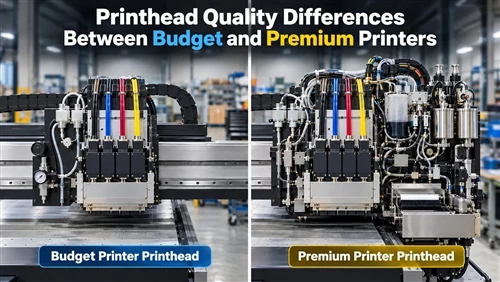


Printer buyers often compare resolution, speed, ink colors, and machine size. The printhead deserves close attention too, but the difference between a budget printer and a premium one cannot be reduced to whether one machine has a "better" head.
Print quality comes from several parts working together:
Printhead technology
Nozzle density and manufacturing accuracy
Droplet size and waveform control
Ink compatibility
Ink circulation and temperature management
Positioning accuracy
Calibration software
Cleaning and maintenance systems
A low-cost printer may produce an excellent sample under ideal conditions. A professional system is usually engineered to hold similar quality across longer runs, different substrates, and thousands of operating hours.
This distinction applies to UV flatbed, UV roll-to-roll, DTF, sublimation, photo, and office printing. DPI alone cannot answer the buying question. A better starting point is Dacen's guide on how to choose a UV printer printhead, which treats the printhead as one part of the complete machine.
Thermal and Piezo Printhead Technologies
Thermal inkjet and piezoelectric inkjet are the two dominant technologies.
A thermal printhead rapidly heats a small amount of ink inside a firing chamber. The vapor bubble expands and pushes a droplet through the nozzle. Fresh ink enters after the bubble collapses, and the cycle repeats.
Thermal technology is not automatically a budget option. HP uses thermal inkjet in industrial PageWide presses. The PageWide T700i, for example, uses heads with 1,200 nozzles per inch, showing that thermal systems can support high-volume commercial production.
A piezoelectric head uses an electrical signal to deform an actuator. The movement creates pressure in the ink chamber and ejects a droplet without boiling the fluid.
Piezo technology can work with a broader range of fluid chemistries. Epson states that PrecisionCore supports water-based, eco-solvent, solvent, and UV-curable inks, which helps explain why piezo heads are common in industrial UV printers.
Nozzle construction matters as much as the ejection method. Epson's PrecisionCore manufacturing process uses MEMS fabrication to create nozzle openings of approximately 20 micrometers, with submicron manufacturing control.
| Printhead | Technology | Nozzles | Native Resolution | Typical Drop Range |
|---|---|---|---|---|
| Ricoh MH5421F | Piezo | 1,280 | Approx. 600 dpi architecture | 7 / 14 / 21 pL |
| Kyocera KJ4A-RN | Piezo | 2,656 | 600 x 600 dpi | 3 to 14 pL |
| Kyocera KJ4A-EX1200-RC | Piezo | 5,116 | 1200 x 1200 dpi | 2 to 4 pL |
| Epson S3200 UV series | Piezo | 3,200 | Up to 600 dpi per color | Application dependent |
Ricoh specifies 1,280 staggered nozzles and 7 to 21 pL droplets for the MH5421F. Kyocera's UV range includes 600 dpi heads with minimum droplets around 3 pL and newer 1,200 dpi systems with 2 to 4 pL drops.
More nozzles do not automatically mean a better production system. Premium machines often separate themselves through nozzle uniformity, head alignment, ink recirculation, temperature control, and drive electronics.
Dacen's current UV flatbed printer configurations show how different printhead options are matched to different applications.
Droplet Size, Resolution, and Image Sharpness
A smaller ink droplet can improve fine detail, but it does not automatically produce higher resolution.
Droplet volume is measured in picoliters, or pL. Resolution is normally expressed in dots per inch, or dpi. The two are related, but they are not interchangeable.
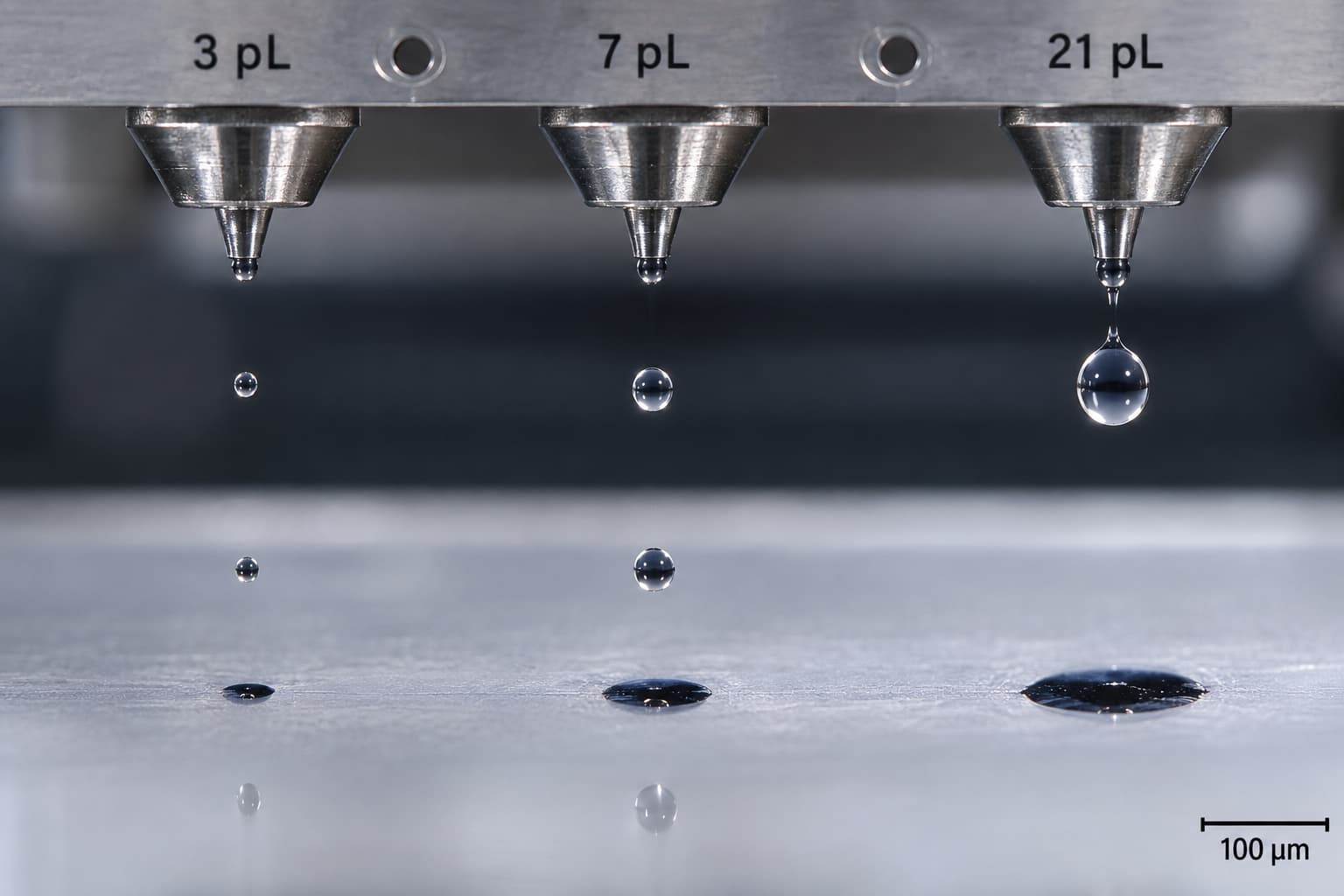
If a droplet were approximately spherical while traveling through the air:
A 3 pL droplet would have a diameter of roughly 18 micrometers.
A 7 pL droplet would be roughly 24 micrometers.
A 21 pL droplet would be roughly 34 micrometers.
If a droplet were approximately spherical while traveling through the air:
A 3 pL droplet would have a diameter of roughly 18 micrometers.
A 7 pL droplet would be roughly 24 micrometers.
A 21 pL droplet would be roughly 34 micrometers.
The final dot can become much larger after it reaches the substrate because the ink wets and spreads. A 3 pL drop on coated acrylic can behave very differently from the same nominal drop on absorbent paper.
Actual image sharpness depends on the complete placement system:
Nozzle pitch + carriage position + media advance + placement accuracy + drop volume + substrate interaction
Higher-end heads often support variable-droplet or grayscale operation. Ricoh's MH5220 can operate from approximately 2.5 to 9 pL, and its waveform can be tuned to match the ink and intended droplet behavior.
Ricoh also makes equipment that observes droplet formation under different drive waveforms.
A poorly controlled waveform can produce:
Satellite droplets
Inconsistent droplet velocity
Directional deviation
Irregular dot size
Overspray around small text
Premium printers generally devote more engineering effort to controlling these variables.
If the defect appears as fuzzy edges or stray droplets, Dacen's guide to UV printer ink misting and flying ink provides a useful diagnostic path.
Test Sharpness Under Production Conditions
A colorful sample image is not enough. Print a controlled chart containing:
Positive and reversed text from 2 to 10 points
One-pixel and two-pixel lines
Radial resolution targets
Diagonal lines
Neutral gradients
Repeated small dots
High-contrast black and white edges
Inspect the print with a USB microscope or calibrated scanner.
Look for:
Edge raggedness
Satellite droplets
Bidirectional alignment errors
Missing lines
Inconsistent dot spacing
Excessive substrate bleeding
Repeat the same test in different speed modes.
A budget machine may produce excellent detail in a slow 12-pass mode and lose sharpness at production speed. A premium machine is often designed to hold tighter placement accuracy at higher carriage speed or with fewer passes.
Color Accuracy Depends on the Whole Ink System
The printhead does not create color by itself.
Color performance depends on the complete system:
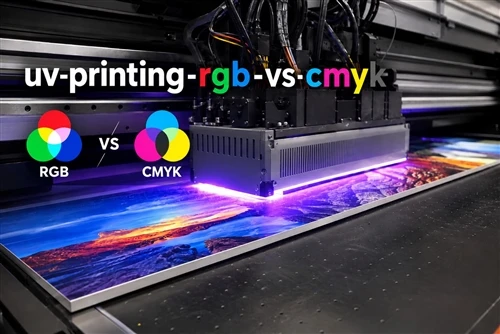
Printhead + ink + waveform + substrate + RIP + ICC profile + curing or drying
Useful measurements include:
Gamut volume
dMax
Delta E
Gray balance
Repeatability between production runs
Gamut volume describes the range of colors the system can reproduce. dMax measures maximum optical density, especially for black. Delta E expresses the numerical difference between a target color and its printed result.
A premium head does not guarantee a wider gamut. Better control of droplet volume and nozzle consistency can, however, make linearization and ICC profiling more repeatable.
Ink Chemistry Must Match the Printhead
Industrial printhead manufacturers specify operating ranges for viscosity and surface tension.
Ricoh lists approximately 10 to 12 mPa.s viscosity and 28 to 35 mN/m surface tension for several industrial heads. A third-party UV ink can still be risky even when its label says it is "compatible."
Before changing ink, verify:
Viscosity at the actual operating temperature
Surface tension
Pigment particle size
Filtration level
Chemical compatibility with seals and dampers
Curing wavelength
Required firing waveform
Recommended negative pressure
Color density
Long-term sedimentation behavior
Third-party ink may also affect warranty coverage. Epson's U.S. documentation states that damage caused by non-Epson or unsuitable inks may not be covered.
After changing ink, rebuild or verify the complete color workflow:
Ink limits → linearization → calibration → ICC profile → spot-color verification
An existing ICC profile should not be assumed accurate with a different ink.
Reliability, Maintenance, and Total Ownership Cost
Differences between budget and premium systems often become clearer after the demonstration print.
There is no reliable universal claim such as:
"Budget printheads clog every three months, while premium heads clog once a year."
Ink chemistry, humidity, print frequency, capping quality, cleaning routines, and machine design all affect clogging.
Professional manufacturers often describe durability through actuation life or ink throughput instead of a generic lifespan in months.
Ricoh publishes a laboratory durability figure of 100 billion actuations per nozzle for the MH5220 with standard test ink. HP has published an average service life of about 32 liters of ink per HP 841 PageWide XL printhead on one professional PageWide platform.
Neither figure guarantees the same lifespan in another printer, with a different ink, or in a different operating environment.
Why Two Machines With the Same Head Can Behave Differently
Higher-end systems may include:
Active ink recirculation
Near-nozzle circulation
Automatic negative-pressure control
Printhead heating
Automatic wiping
Reliable capping stations
Nozzle monitoring
Automatic nozzle compensation
Temperature stabilization
Kyocera's KJ4A-EX1200-RC circulates ink near the nozzles to improve stability and reduce routine maintenance.
A budget printer may use a capable printhead but pair it with lower-cost dampers, pumps, filters, capping stations, or control electronics. Two machines using the same nominal printhead can therefore have very different reliability.
Warning Signs Worth Recording
Inspect the printer when you notice:
Missing nozzles
Deflected nozzles
Horizontal banding
Color shifts
Misting or overspray
Irregular white-ink output
Frequent automatic cleaning
Rising ink consumption during maintenance
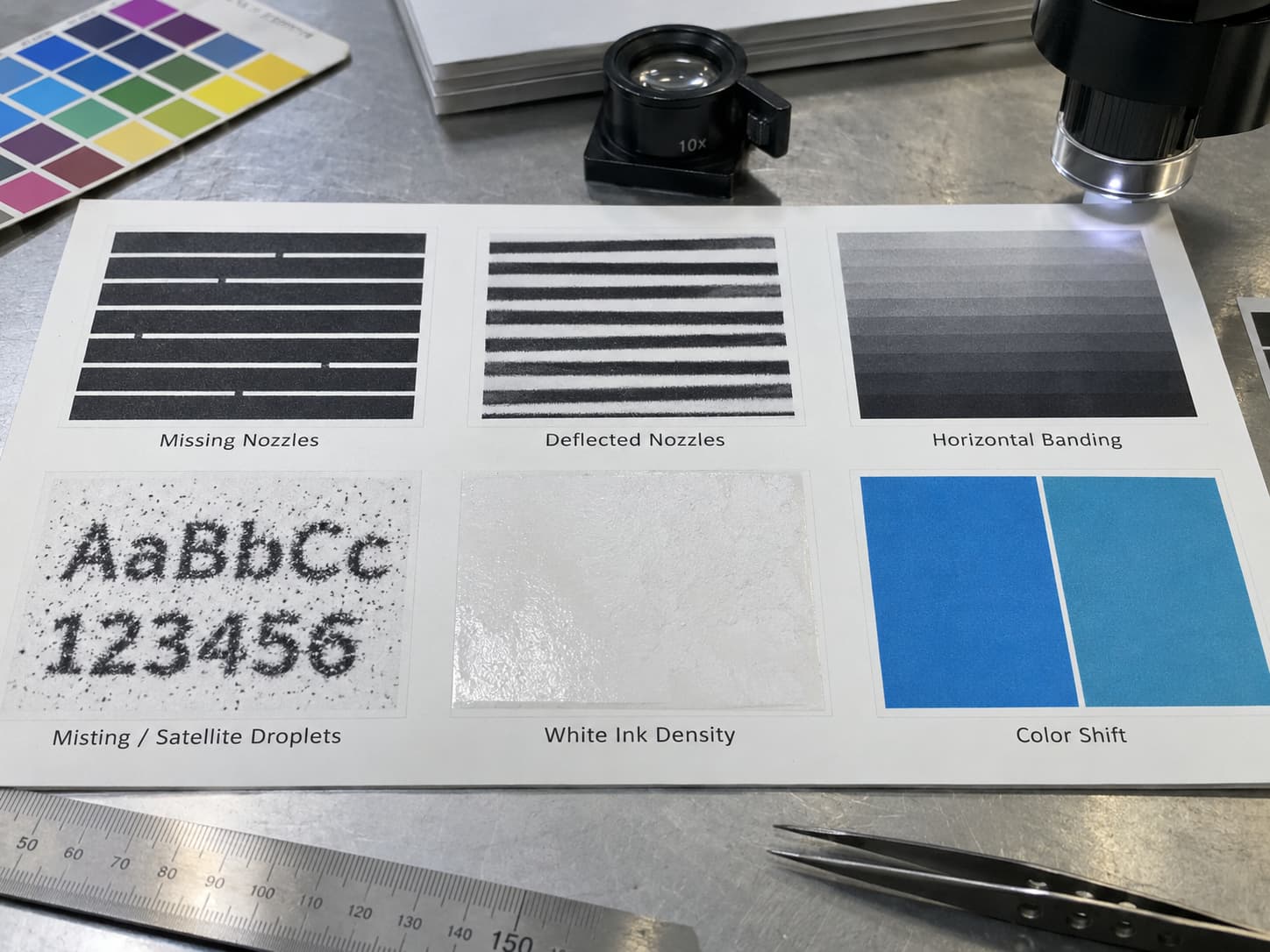
A daily UV printer nozzle check usually costs less than repeated aggressive cleaning.
Routine maintenance on professional systems includes checking the nozzle pattern, cleaning approved areas around the head, inspecting the cap and wiper, replacing maintenance components, and managing waste ink.
Dacen's UV printer printhead maintenance guide treats the cap, wiper, ink supply, pressure system, and print environment as parts of the same system.
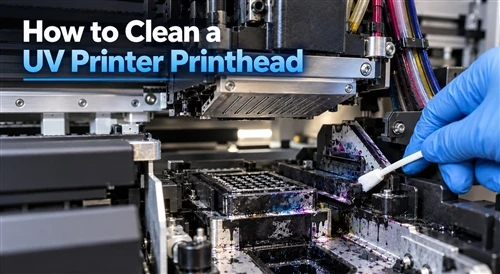
When recovery work is necessary, follow the printer's approved sequence. The UV printhead cleaning procedure should match the exact printhead, ink, maintenance fluid, and machine design.
Replacement Cost Changes the Buying Calculation
Printhead prices vary widely.
U.S. market examples in 2026 place some lower-cost wide-format heads in the several-hundred-dollar range, Epson I3200-class heads around $900 to $1,350, and some genuine Ricoh industrial heads above $3,000 before installation.
Total printhead cost should include:
Head price + replacement frequency + technician labor + calibration + wasted ink + wasted substrate + downtime
A $2,000 head that runs reliably in production can cost less overall than repeatedly replacing a $400 head.
Compare Printers With Repeatable Tests
Ask suppliers to print the same file on the same substrate, in a comparable resolution category and production-speed mode, under the same viewing conditions.Then record objective results.
1. Nozzle Integrity
Print a nozzle-check pattern before and after the production test.
Record the percentage of missing or deflected nozzles.
2. Fine Detail
Use microtext, fine lines, radial targets, and high-contrast edges.
Photograph the output under a microscope.
3. Color Gamut
Print an ICC profiling target and measure it with a spectrophotometer.
Compare gamut volume and extreme Lab values.
4. dMax
Measure maximum black density on the same substrate.
Higher dMax can produce deeper blacks and stronger perceived contrast. Excessive ink, however, can create curing, gloss, or adhesion problems.
5. Delta E and Repeatability
Print the same control patches at the beginning, middle, and end of a production run.
Use Delta E 00 to evaluate consistency.
X-Rite recommends setting color tolerances around the production process and customer requirements. Its examples use tighter limits for critical spot colors and broader limits for some process colors.
6. Environmental Testing
Repeat the test under different:
Temperatures
Humidity levels
Machine idle periods
Substrate batches
A printer that performs perfectly during a 20-minute demonstration but needs repeated cleaning after a weekend shutdown may carry a very different production cost.
Review firmware and diagnostic logs too. Premium-system firmware may control waveform timing, nozzle compensation, head temperature, firing frequency, and error detection.
Repeated nozzle, temperature, or pressure errors can reveal developing problems before the visible print failure becomes severe.
Choose the System for the Application
Neither thermal nor piezo technology is universally better.
A well-engineered thermal inkjet system can produce excellent home photos and office documents with convenient user-replaceable components.
Piezo technology generally provides much more fluid flexibility for UV printing, solvent printing, industrial decoration, and specialty applications.
For a print service provider, the printhead model should never decide the purchase by itself.
Evaluate the complete machine:
Printhead → ink delivery → motion system → RIP → curing → maintenance → technical support
A premium printhead inside a poorly engineered printer will not automatically produce premium results.
Product shape matters too. Dacen's discussion of the G7 printhead for cylindrical UV printing explains why a head that performs well over a flat surface may behave differently above a curved product.
Production demand should also be part of the decision. See the guide to choosing a cylindrical UV printer by production volume.
Request a Documented Comparison
Before buying a UV printer, compare real production samples rather than brochure specifications alone.
A useful request can include:
Printhead Comparison Test Chart
Use the same sharpness, gradient, microtext, line, and color targets to compare different printers.
Custom Print Sample
Send your artwork and target substrate for testing on the recommended printer configuration.
Printhead and Operating-Cost Comparison
Compare:
Exact printhead model
Minimum droplet size
Native and advertised resolution
Ink compatibility
Printhead replacement cost
Expected maintenance requirements
Production speed
Print mode and pass count
For an accurate recommendation, provide:
Application
Required print size
Substrate
Daily production volume
Required print quality
Ink type
Expected operating hours
Preferred printer configuration
The goal is not to buy the most expensive printhead. It is to select a printing system that delivers the required quality consistently and economically throughout its operating life.
Frequently Asked Questions
What Is the Practical Difference Between Piezo and Thermal Printheads?
Thermal inkjet uses localized heat to create the pressure that ejects ink. A piezoelectric head mechanically deforms an actuator to eject the droplet.Neither technology is inherently superior. Thermal inkjet works well in many home, office, and commercial aqueous printers, while piezo technology provides greater flexibility with UV, solvent, and other specialty inks.
How Does Droplet Size Translate to DPI and Perceived Sharpness?
It does not translate directly.Droplet volume affects the physical ink-dot size, while DPI mainly depends on nozzle spacing, carriage movement, and addressable dot positions.A smaller droplet can improve fine gradients and reduce graininess, but absorbent media may spread the ink and reduce that advantage.
Can I Safely Use Third-Party Ink With a Premium OEM Printhead?
Possibly, but compatibility must be verified.Check viscosity, surface tension, particle size, filtration, material compatibility, waveform requirements, curing behavior, and operating temperature.Review the printer manufacturer's warranty terms before switching ink.
How Often Do Budget and Premium Printheads Clog?
There is no defensible universal interval.The same head may run for long periods in a well-maintained machine and clog quickly with unsuitable ink, poor capping, low humidity, or extended idle time.Compare nozzle stability and cleaning frequency in an actual production test instead of relying on a claimed number of months.
What Are Realistic Lifespan and Replacement-Cost Expectations?
Evaluate lifespan through manufacturer-rated firing cycles, ink throughput, or documented field history rather than months.Professional printheads can cost from hundreds to several thousand U.S. dollars each, and an industrial printer may use several heads.Include labor, alignment, flushing ink, calibration, and downtime in the replacement cost.
How Do I Build an ICC Profile for a Printhead, Ink, and Paper Combination?
First establish stable nozzle performance.Set ink limits, linearize each channel, print an ICC target in the final production mode, measure it with a spectrophotometer, and generate the output profile.A different ink, substrate, resolution, or curing condition may require a new profile.
Which Tests Should Track Printhead Performance Over Time?
Monitor:
Nozzle integrity
Fine-line resolution
Droplet placement
Color gamut
dMax
Gray balance
Delta E 00 repeatability
For outdoor or retail applications, add lightfastness, abrasion, adhesion, and accelerated-aging tests.
Record the environmental conditions and repeat the same target periodically so changes can be measured rather than judged by eye.