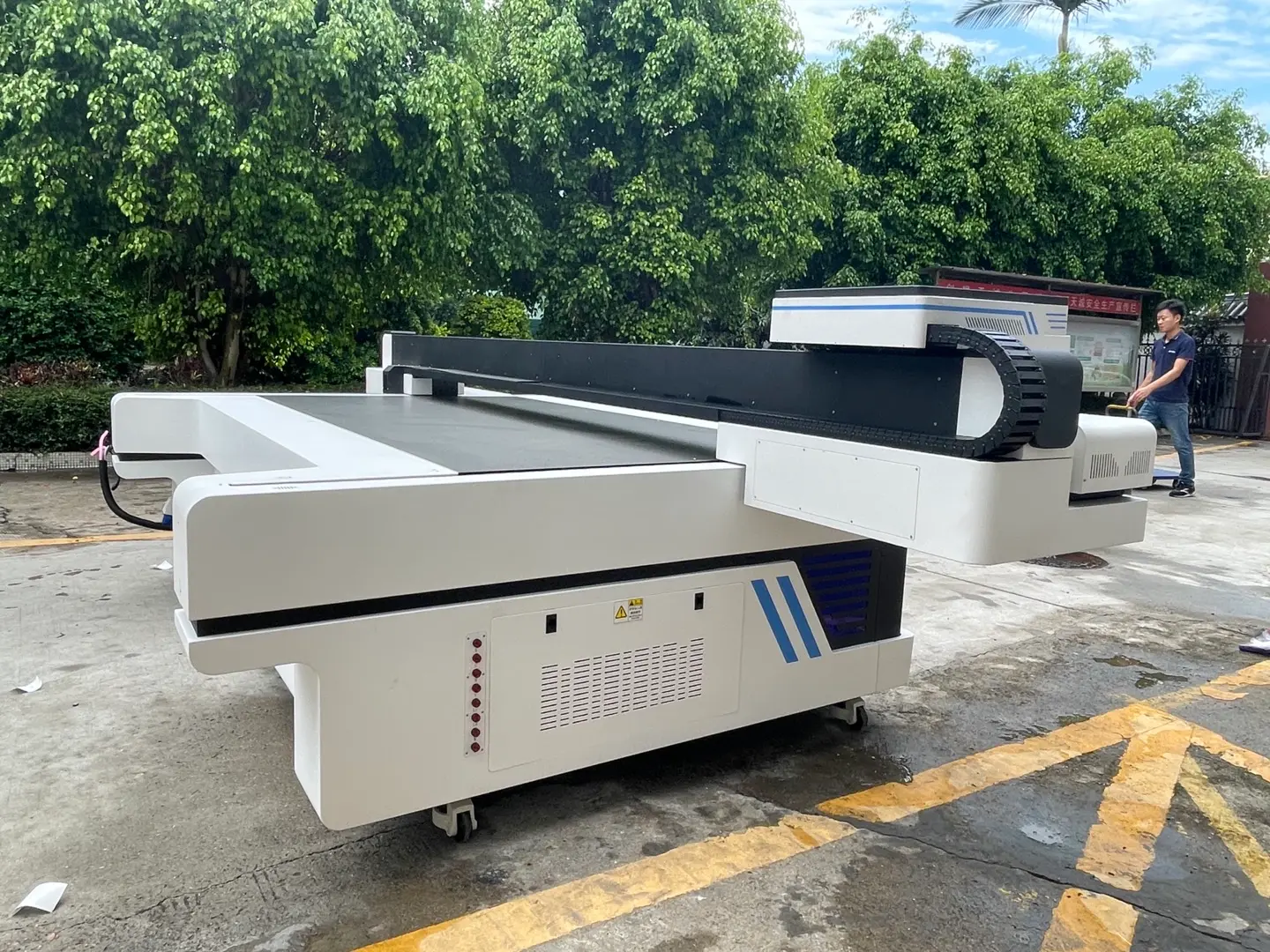


The printhead is one of the most important components to evaluate when buying a UV printer. It influences droplet formation, image detail, ink configuration, printable width, potential productivity, maintenance requirements, and replacement cost.
Quick answer: Choose a UV printer printhead by checking five things first: whether it is validated with the UV ink, whether it can produce the required detail and ink coverage, whether the complete printer can meet your production target, whether it can handle the shape and height variation of your products, and whether replacement parts and technical support are readily available.
The printhead should never be evaluated as an isolated component. Ink formulation, drive waveform, negative-pressure control, color-channel assignment, carriage accuracy, RIP settings, UV curing, maintenance design, and operator practice all affect the final result.
This guide explains how to compare those variables and turn printhead specifications into a practical buying decision. Buyers comparing complete UV flatbed printer configurations can use the same framework to evaluate different machine sizes and printhead options.

What Does a UV Printer Printhead Control?
A printhead contains rows of nozzles that eject controlled ink droplets. The printer sends image data to the head, and individual nozzles fire at calculated times to build color graphics, white underbases, clear varnish layers, or raised textures.

The printhead directly affects:
- Native nozzle resolution
- Available droplet volumes
- Droplet placement consistency
- Effective print width per carriage pass
- Maximum firing frequency
- Supported fluid viscosity and ink types
- Number of ink channels or colors
- Binary, multi-drop, or grayscale operation
- Availability of heating or nozzle-level recirculation
It does not independently determine finished print quality. Carriage motion, encoder accuracy, head alignment, fixture stability, print gap, pass count, screening, color management, surface preparation, and UV curing remain equally important.
This is why two printers fitted with a printhead carrying the same brand name can produce different image quality, speed, and maintenance results.
Why Do UV Printers Use Piezoelectric Printheads?
Piezoelectric drop-on-demand technology is widely used in industrial UV inkjet systems. A timed electrical signal deforms a piezoelectric actuator, changes the pressure inside the ink chamber, and ejects a droplet through the nozzle.

Thermal inkjet creates a vapor bubble by heating the ink. Piezoelectric operation does not require the ink to be boiled during droplet formation, making it suitable for a broad range of industrial fluids when the head, waveform, temperature, and ink system have been correctly matched.
Epson's official PrecisionCore overview describes a platform that combines thin-film piezo technology with high-precision MEMS fabrication. Ricoh and Konica Minolta also manufacture piezoelectric heads for industrial fluids, including selected UV-compatible models.
For a buyer, however, "piezoelectric" is only a starting point. The more useful question is whether the exact printhead and ink-delivery configuration have been validated together.
9 Factors to Compare When Choosing a UV Printer Printhead
1. Has the Printhead Been Validated With the UV Ink?
UV inks differ in viscosity, surface tension, pigment loading, curing behavior, operating temperature, and chemical compatibility. Process colors, white ink, clear varnish, and primer may require different handling conditions.
A printhead that is described as UV-compatible is not automatically compatible with every UV ink. The complete fluid system should be evaluated as a combination of:
- Exact printhead model
- Ink formulation and batch control
- Operating and jetting temperature
- Negative-pressure range
- Filter, tubing, damper, and seal materials
- Drive voltage and waveform
- Cleaning and flushing fluid
- UV lamp power and curing settings
The waveform is the timed voltage pattern used to move the piezoelectric actuator. It affects droplet formation, velocity, tail break-off, and the occurrence of satellite droplets. A change in ink viscosity or surface tension may require a different waveform or temperature range to maintain stable jetting.
Negative pressure helps hold the ink meniscus at the nozzle opening. An unsuitable setting can contribute to nozzle weeping, ink starvation, air entry, or intermittent missing nozzles. The printhead model alone cannot correct an unstable pressure-control system.
Before using third-party ink, confirm whether the change requires flushing, waveform adjustment, new temperature settings, or different warranty conditions.
2. Does a Smaller Droplet Size Mean Better Print Quality?
Smaller droplets can improve fine text, light tonal areas, photographic detail, and smooth gradients when other variables are controlled. Larger droplets can deposit more fluid for dense color areas, white underbases, varnish, or raised effects.

Droplet size should be read together with:
- Jetting accuracy
- Native nozzle resolution
- Grayscale levels
- RIP screening
- Pass count
- Substrate wetting behavior
- Head alignment
- Actual production speed
Multi-drop or variable-drop control allows a head to form different effective droplet volumes. Smaller drops may be used in highlights and detailed areas, while larger drops provide stronger coverage. Dacen's overview of variable ink-drop technology provides additional context on how grayscale control is used in UV printing.
Theoretical grayscale levels are not a substitute for a printed test. Inspect neutral gradients, skin tones, small reverse text, solid fills, and white-to-color registration on the actual material.
3. How Do Nozzle Count, Print Width, and Firing Frequency Affect Speed?
A high nozzle count or firing frequency can support higher productivity, but neither number represents complete printer speed.

Production output also depends on:
- Effective print width per pass
- Number of installed heads
- Color assignment per head
- Carriage acceleration and travel distance
- Pass count
- Bidirectional calibration
- RIP data processing
- Ink-delivery capacity
- UV curing capacity
- White and varnish layer requirements
A printer may have a fast printhead but still run slowly if the carriage, data path, ink supply, or curing system cannot maintain the same production rate.
When comparing advertised speeds, require the supplier to state:
- Resolution and pass count
- Print mode
- Printed area and image coverage
- CMYK, CMYK plus white, or CMYK plus white and varnish
- Unidirectional or bidirectional printing
- Whether loading, unloading, and fixture changes are included
Dacen's guide to calculating UV flatbed printer speed can be used as a starting point when comparing production modes. The company's DG-2513 Epson I3200 configuration also lists separate draft, production, and high-resolution modes, illustrating why a single maximum-speed figure is insufficient.
4. How Are Ink Channels Assigned?
The number of printheads does not explain the color architecture by itself. A two-head printer might assign one head to CMYK and one to white. A three-head system might separate CMYK, white, and varnish. Other systems divide multiple colors across channels within one head.

Channel assignment affects:
- Color-to-color alignment
- White-to-color registration
- Productivity with multiple ink layers
- Cost of replacing a failed head
- Whether one damaged channel affects one color or several colors
- Possibility of adding light colors, primer, or varnish later
For example, assigning four colors to one multi-channel head can reduce carriage size and initial hardware cost. Separate heads for process color, white, and varnish may offer more production flexibility, but they add alignment, maintenance, and replacement considerations.
Request a diagram showing every physical head, channel, color, ink inlet, and circulation path. Do not compare machines only by the headline number of installed heads.
5. Does the System Provide the Right White Ink Circulation?

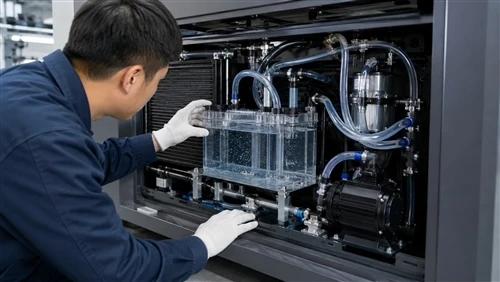
White UV ink contains dense pigment that can settle when the fluid remains stationary. A white ink management system may include several different levels:
- Agitation inside the main ink tank
- Circulation through supply and return tubing
- Circulation through a secondary tank or damper system
- Recirculation inside the printhead near the nozzles
- Controlled temperature and negative pressure
- Automatic maintenance and scheduled white printing
These functions are not equivalent. Tank agitation helps keep bulk ink mixed, but it does not prove that ink is moving through the complete line or behind the nozzle plate.
Ricoh's explanation of ink recirculation near individual nozzles states that continuous flow can help reduce drying and suppress precipitation of high-specific-gravity particles, including pigments used in white and metallic inks.
Dacen also provides an overview of why an ink circulation system matters and a separate guide to testing UV printer white ink.
Clear varnish and primer should not be treated as if they have the same sedimentation behavior as white ink. Their main risks may include viscosity variation, trapped air, drying around the nozzle, contamination, and incompatibility with seals or tubing. Ask how each specialty fluid is managed rather than accepting a general statement that the machine "has circulation."
6. Can the Printhead Handle the Required Print Gap?
The print gap is the distance between the nozzle plate and the product surface. A shorter, controlled gap generally makes accurate droplet placement easier.

As the gap increases, droplets travel farther through the air. Airflow, static electricity, droplet velocity variation, satellite droplets, and carriage movement can increase landing-position error. The result may appear as soft edges, misting, grain, color misregistration, or loss of detail.
Some printheads are designed specifically for wider gaps. Ricoh states that the TH6310F industrial printhead uses an optimized nozzle arrangement and recirculation system and is designed for accurate placement at a gap of up to 4 mm under Ricoh's stated conditions.
That specification should not be converted into a universal maximum for every UV printer. Ink, waveform, carriage speed, static control, product shape, and machine integration still affect the result.
For recessed products or surfaces with height variation, review a purpose-built high-drop UV printer configuration. Also confirm that the machine includes accurate height measurement, suitable fixtures, and a printhead anti-collision system.
Always test the actual product at its greatest height difference. A flat panel printed with an artificially raised carriage does not reproduce every risk associated with a recessed, curved, or irregular part.
7. What Will the Printhead Cost to Maintain and Replace?
The purchase price of a replacement head is only one part of printhead-related cost.
A useful annual calculation is:
Annual printhead-related cost = replacement heads + cleaning fluid + dampers, filters, caps, and wipers + maintenance labor + service visits + estimated production downtime.
Compare the following items:
- Current replacement price
- Normal delivery time
- Whether the head is held in local or regional stock
- Cleaning-fluid consumption
- Daily and weekly maintenance time
- Frequency of cap, wiper, damper, and filter replacement
- Mechanical and electronic calibration after installation
- Whether remote support is sufficient
- Warranty exclusions for head strikes, ink changes, and improper cleaning
A fixed printhead lifespan should not be treated as reliable without operating conditions. Ink compatibility, maintenance, dust, humidity, head strikes, static electricity, UV exposure, idle periods, and shutdown procedures all influence service life.
For practical care requirements, review Dacen's guidance on UV printer printhead maintenance and printhead cleaning.
8. Are Spare Parts, Calibration, and Technical Support Available?
Printhead selection creates a long-term service requirement. Confirm whether the supplier can provide:
- The exact replacement model and revision
- Correct cables, dampers, filters, and seals
- Waveform and firmware support
- Mechanical installation instructions
- Head-voltage and alignment procedures
- Nozzle-test interpretation
- Remote diagnosis
- Regional engineers or trained service partners
When a machine develops missing nozzles or unstable jetting, replacement should not be the first automatic response. Ink starvation, trapped air, pressure instability, cap sealing, dirty wipers, damaged dampers, and blocked filters may produce similar symptoms.
Dacen's guide to troubleshooting a UV flatbed printer printhead covers several checks that should be completed before a head is condemned.
9. Has the Configuration Passed a Real Production Test?
A sample should be produced with the same material, ink layers, fixture, print gap, and production mode that will be used after purchase.
A good-looking image printed once in a slow exhibition mode does not establish production stability. The test should confirm both output quality and repeatability.

At minimum, record:
- Printer model and exact printhead model
- Number of installed heads and channel assignment
- Ink configuration
- Material and surface preparation
- Print gap
- Resolution and pass count
- Unidirectional or bidirectional mode
- Actual printed area
- Printing time
- Nozzle status before and after the test
Epson I3200 vs. Ricoh G5 or G6: What Should Buyers Compare?
Many buyers search for "Epson I3200 vs. Ricoh G5" or "Epson I3200 vs. Ricoh G6." A brand or generation name alone does not provide enough information for a sound comparison.
Request the exact manufacturer model code, because heads within the same brand can differ in nozzle count, native resolution, print width, droplet range, supported viscosity, heating, recirculation, and color channels.
The following table shows why model-level comparison matters. It is not a ranking, and the models are not direct substitutes in every printer design.
| Printhead example | Selected official specifications | What the buyer should evaluate |
|---|---|---|
| Epson I3200(8)-S1HD | 3,200 nozzles, 33.8 mm effective print width, up to eight ink channels, UV-compatible fluid category, variable droplet volumes, no internal heater or head-level recirculation listed in the official data sheet. | Compact multi-channel layout, fine-droplet image quality, channel assignment, external ink circulation, ink viscosity control, and complete machine productivity. Review the official Epson I3200(8) data sheet. |
| Ricoh MH5420 or MH5440 | 1,280 nozzles, 54.1 mm print width, two- or four-color models, integrated heater, UV-compatible ink category, 7 to 35 pL grayscale range depending on ink, and resolution that changes with color-row assignment. | High-viscosity ink handling, color assignment, heated operation, wider swath, actual pass count, replacement cost, and whether the complete printer requires recirculation elsewhere in the system. See the official Ricoh MH5420/5440 page. |
| Ricoh TH6310F | 1,600 nozzles, 66.7 mm print width, 600 npi, UV-compatible ink category, ink recirculation, and model-specific high-gap capability. | High-gap performance, recirculation requirements, waveform integration, single-pass versus multi-pass use, and whether its official test conditions match the proposed UV printer application. |
| Konica Minolta KM1024aLHG-RC | 1,024 nozzles, 72 mm print width, 360 npi, nozzle recirculation, internal heater, UV-compatible ink category, and large multi-drop volumes. | Heavy fluid deposition, white or specialty ink stability, required detail, grayscale mode, production speed, and suitability for the printer's intended application. Consult the official KM1024a RC specifications. |
When an Epson I3200-Based Configuration May Be Worth Evaluating?
An Epson I3200-based system may deserve consideration when compact head architecture, multiple ink channels, fine droplet control, detailed graphics, and lower initial hardware cost are important.
The decision should still include the external ink system, white ink management, print gap, maintenance routine, and the number of installed heads. An I3200 label does not reveal how CMYK, white, and varnish are assigned or how quickly the complete machine can print them.
When a Ricoh Industrial-Head Configuration May Be Worth Evaluating
A Ricoh metal-head configuration may deserve closer evaluation when a wider print swath, built-in heating, higher-viscosity fluid handling, robust industrial construction, or specific multi-drop requirements are priorities.
Ricoh models do not all have the same droplet range, color capacity, recirculation system, or high-gap capability. A quotation that says only "Ricoh G5" or "Ricoh G6" should be supplemented with the exact model code, technical data sheet, head count, ink assignment, and production test.
Which Is Better for White Ink or High-Drop Printing?
For white ink, prioritize the complete circulation path, negative-pressure stability, filtration, agitation, and maintenance design. A nozzle-recirculating head can provide additional fluid stability, but it does not replace correct tank and line management.
For high-drop printing, prioritize verified droplet placement at the actual product geometry. A supplier should show the maximum tested gap, the artwork used, the ink, the carriage speed, the resulting edge quality, and the repeatability across several products.
Match the Printhead to the Application
| Application | Primary priorities | Evidence to request |
|---|---|---|
| Phone cases, gifts, labels, and fine text | Small effective droplets, grayscale control, accurate head alignment, stable fixtures, and smooth highlights. | Small text, reverse text, gradients, photographic detail, and repeated position tests. |
| Large boards, signs, and decorative panels | Print width, nozzle count, head count, stable ink delivery, carriage efficiency, and curing capacity. | Speed at an agreed pass count with the required ink layers and image coverage. |
| Heavy white ink production | Tank agitation, line circulation, nozzle-area circulation where applicable, negative-pressure control, and cleaning access. | White opacity, continuous printing, nozzle checks before and after production, and restart behavior. |
| Varnish and raised texture | Variable fluid deposition, layer alignment, curing control, and accurate Z-axis positioning. | Texture consistency, varnish registration, edge definition, and curing at the required layer thickness. |
| Recessed or uneven parts | Verified print gap, droplet direction, static control, height measurement, fixture design, and collision protection. | Tests on the actual highest and lowest surfaces of the product. |
| Continuous industrial production | Stable jetting, spare-part availability, repeatable calibration, service response, and predictable maintenance. | A representative production run rather than a single demonstration print. |
| Bottles, cups, and cylindrical products | Rotary synchronization, circumferential registration, fixture accuracy, ink flexibility, and suitable printhead clearance. | Full-rotation samples using the actual diameter, taper, material, and artwork. Compare available cylindrical UV printer configurations. |
A Practical Sample-Test Protocol
Use the same test file and material when comparing two printer configurations. Do not compare samples produced with different artwork, pass counts, or ink layers.
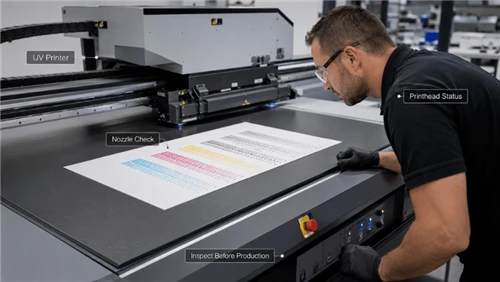
1. Record the Initial Nozzle Check
Save a clear nozzle-status image before printing. Missing nozzles should be identified before the supplier performs cleaning or compensation.
2. Test Fine Text and Line Detail
Include positive and reverse text at several sizes, such as 4, 6, and 8 points, together with thin horizontal, vertical, and diagonal lines. The acceptable size should be decided according to the product's normal viewing distance.
3. Print Neutral and Color Gradients
Use continuous ramps and stepped tonal patches. Look for banding, sudden transitions, grain, color contamination, and loss of detail in highlights.
4. Test Solid Color and White Opacity
Include large solid areas to reveal streaking, density variation, nozzle loss, and curing inconsistency. On dark or transparent materials, evaluate white opacity and uniformity.
5. Check White-to-Color and Varnish Registration
Inspect edges under magnification and at normal viewing distance. Agree on an acceptable alignment tolerance before comparing suppliers; there is no universal tolerance for every product.
6. Test the Actual Print Gap
Use the product's greatest real height variation. Inspect sharp edges, small text, misting, color registration, and repeatability at the most difficult area.
7. Run a Representative Batch
Repeat the print across the fixture and through a normal production batch. One successful print does not demonstrate stability, restart behavior, or consistent positioning.
8. Record Production Time Correctly
Record the printed area, pass count, ink layers, number of pieces, printing time, loading time, unloading time, and fixture-change time.
9. Repeat the Nozzle Check
Compare the pre-test and post-test nozzle status. Investigate any new persistent nozzle loss rather than assuming it is normal.
10. Complete the Required Adhesion Test
Adhesion depends largely on the material, cleaning, pretreatment, ink, and curing-not only the printhead. Test adhesion after the specified curing and conditioning period. Dacen's article on why proofing should be completed before production explains the value of material-specific sample approval.
Is It Really a Printhead Problem?
Several printing defects can look like printhead failure even when the head is not the primary cause.
| Observed problem | Possible non-printhead causes | Checks to complete first |
|---|---|---|
| Missing or intermittent nozzles | Air in the ink line, damaged damper, blocked filter, unstable negative pressure, poor cap seal, dirty wiper, or contaminated ink. | Inspect the ink path, pressure, cap station, damper, filter, and nozzle response after the approved recovery procedure. |
| Ghosting or double edges | Bidirectional calibration, encoder contamination, carriage movement, platform error, or fixture movement. | Run alignment tests, clean the encoder strip, and verify product positioning. |
| Flying ink or misting | Excessive print gap, static electricity, airflow, unsuitable waveform, viscosity variation, or excessive carriage speed. | Reduce the gap where possible, control static, confirm ink temperature, and compare slower production settings. |
| Poor adhesion | Surface contamination, low surface energy, incorrect primer, insufficient curing, unsuitable ink, or excessive ink thickness. | Review cleaning, pretreatment, curing, and material compatibility before replacing a head. |
| Color variation | ICC profile, ink batch, white layer variation, curing conditions, head alignment, or inconsistent substrate color. | Standardize materials, profiles, ink, curing, and calibration. |
| Banding | Nozzle loss, pass setting, media advance, bidirectional alignment, carriage vibration, or uneven ink supply. | Compare nozzle checks, alignment, pass modes, and platform movement. |
Use a Weighted Scorecard to Compare Supplier Proposals
Assign each proposal a score from 1 to 5 for every category, multiply the score by the suggested weight, and compare the totals. Adjust the weights to match your business.
| Evaluation category | Suggested weight | Evidence required |
|---|---|---|
| Ink and waveform compatibility | 20% | Validated ink model, operating range, warranty terms, and stable nozzle test. |
| Required image quality | 15% | Fine text, gradients, solid fills, white registration, and production-mode samples. |
| Production throughput | 15% | Measured output with the required pass count, image coverage, white, and varnish. |
| White and specialty-fluid stability | 15% | Circulation diagram, continuous-print test, restart test, and maintenance procedure. |
| Product geometry and print gap | 10% | Actual product test, height data, edge quality, collision protection, and fixture plan. |
| Maintenance and total cost | 15% | Head price, consumable parts, labor requirements, downtime, and replacement procedure. |
| Spare parts and technical support | 10% | Stock status, response time, manuals, training, remote support, and regional service. |
Printhead-Related Questions to Ask the Supplier
- What is the exact manufacturer model code of every printhead?
- How many heads are installed, and how are CMYK, white, varnish, and primer assigned?
- Which UV ink formulation has been validated with this head and waveform?
- What operating temperature and negative-pressure range are used?
- Where does white ink circulate: tank, tubing, damper, or behind the nozzles?
- What print mode and ink layers were used for the advertised speed?
- What is the recommended print gap, and what is the maximum gap tested on my product?
- What parts and calibration are required after printhead replacement?
- What printhead damage is excluded from the warranty?
- Can the supplier complete a recorded production test using my material and artwork?
Common UV Printhead Selection Mistakes
Choosing the Smallest Advertised Droplet
A small minimum droplet does not prove accurate placement, smooth gradients, stable solid coverage, or acceptable production speed.
Comparing Maximum DPI Without Checking the Print Mode
Addressable resolution, native nozzle resolution, and production-mode resolution are different concepts. Request the sample and the time required to print it.
Comparing Draft Speed With CMYK, White, and Varnish Production
Draft speed without specialty layers should not be compared with a multi-layer finished product.
Assuming Every Head From One Brand Performs the Same Way
Manufacturers offer different heads for different fluids, drop ranges, resolutions, widths, viscosities, and circulation requirements.
Ignoring the Complete White Ink System
A demonstration sample does not reveal how the system behaves after idle periods, continuous production, or repeated restarts.
Changing Ink Without a Controlled Compatibility Process
A new ink may require flushing, new waveform settings, different pressure, adjusted temperature, new profiles, and curing changes.
Buying Without Confirming Replacement Support
A technically suitable head can still create production risk when replacements, calibration tools, or qualified support are difficult to obtain.
Frequently Asked Questions
Q: What Is the Best Printhead for a UV Printer?
A: There is no universal best printhead. The right choice depends on the ink, required detail, ink coverage, production volume, product geometry, white ink use, maintenance capability, and available support.
Q: Is Ricoh Better Than Epson for UV Printing?
A: Neither brand is automatically better for every application. Compare exact models and complete printer systems. Epson I3200-based configurations may emphasize compact multi-channel architecture and fine droplet control, while selected Ricoh models may offer wider swaths, heating, metal construction, or model-specific industrial features. Real output and production conditions should decide the purchase.
Q: Are Smaller Ink Droplets Always Better?
A: No. Smaller droplets can support fine detail and smooth highlights, but larger effective droplets may be useful for dense coverage, white ink, varnish, and texture. Placement accuracy, grayscale control, pass count, screening, and substrate behavior are also important.
Q: How Long Does a UV Printer Printhead Last?
A: There is no reliable universal lifespan. Ink compatibility, maintenance, working environment, print volume, head strikes, static electricity, idle periods, UV exposure, and operator practice all affect service life.
Q: Why Is White Ink Circulation Important?
A: White ink contains dense pigment that can settle. Tank agitation, line circulation, pressure control, and nozzle-area recirculation where available can help maintain more stable fluid conditions. Buyers should ask exactly where the ink circulates.
Q: Can Third-Party UV Ink Damage a Printhead?
A: An unvalidated ink can increase the risk of unstable jetting, blocked filters, seal incompatibility, nozzle loss, curing problems, and premature component failure. A controlled changeover should include chemical compatibility, flushing, waveform, pressure, temperature, color, and curing tests.
Q: What Should I Test Before Buying a UV Printer?
A: Test your actual material and artwork. Include fine text, gradients, solid colors, white opacity, registration, varnish if required, maximum product height variation, repeatability, production time, nozzle checks, and adhesion after the correct pretreatment and curing process.
Final Recommendation
The right UV printer printhead is the one that works reliably inside a complete, validated printing system. Brand name, minimum droplet size, maximum DPI, and draft speed are useful specifications, but they cannot replace application testing.
Before requesting a proposal, prepare:
- The actual product or material
- Product dimensions and maximum height variation
- Print-ready artwork
- Required daily or hourly output
- Required colors, white, varnish, or primer
- Expected quality and viewing distance
- Available maintenance and technical resources
Require the supplier to document the exact printhead, channel assignment, ink, pass count, print gap, production time, nozzle condition, and maintenance procedure used for the sample.
To arrange a product-specific print test or discuss a suitable printhead configuration, contact Dacen Printer with your material, dimensions, artwork, required output, and preferred ink configuration.