

Choosing between screen printing and UV printing is rarely a question of which technology is "better." It is a question of what you are producing, how many units you need, what material you are printing on, and how the finished product will be used.
Screen printing has dominated textile and high-volume promotional work for decades because of its ink opacity and low unit cost at scale. UV printing has grown quickly because it prints directly on rigid materials, needs no screens, and cures instantly.
This guide compares both methods across technology, print quality, durability, cost, environmental impact, and scalability, then gives you a five-step framework for making the decision on your own project.
Quick Answer: Which Method Should You Choose?
Choose screen printing for large runs of the same simple design on fabric. Choose UV printing for short runs, full-color artwork, variable data, and rigid materials like glass, metal, acrylic, and plastic.
- Screen printing wins on: cotton and blended textiles, orders above roughly 500–1,000 identical pieces, bold solid colors, dark garments, and lowest possible cost per unit at volume.
- UV printing wins on: prototypes and samples, personalized or variable designs, photographic artwork, gradients, rigid and irregular substrates, and same-day turnaround.
- Many factories run both: screen printing absorbs the volume work while UV handles customization, sampling, and premium finishes.
How Screen Printing and UV Printing Actually Work
The Screen Printing Process
Screen printing is a stencil process. A design is exposed onto a mesh screen coated with photosensitive emulsion. The emulsion blocks ink in the non-image areas, and a squeegee forces ink through the open mesh onto the substrate. Each color in the design normally requires its own screen, so a five-color logo means five screens and five registration steps.
A typical production cycle looks like this:
- Artwork is separated into individual color layers.
- Screens are coated, exposed, washed out, and dried.
- Inks are mixed to the required brand colors.
- The press is set up and registration is calibrated.
- Prints are cured with heat, an oven, or solvent evaporation until the resin hardens.
Automatic presses reduce labor and improve consistency, but the screen preparation stage never disappears. That fixed preparation cost is the single most important thing to understand about screen printing economics.

The UV Printing Process
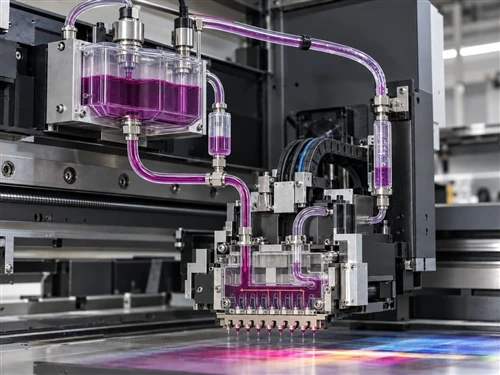
UV printing is digital inkjet with instant curing. Artwork goes straight from a file to the print heads, microscopic droplets land on the surface, and UV LED or mercury lamps immediately trigger photoinitiators in the ink. The ink polymerizes and hardens within seconds, with no drying rack and no screens.
The core components are the print head, the UV ink system, the curing lamps, a motion platform, and a vacuum table or fixture that holds the product in place. A UV flatbed printer handles rigid sheet materials such as acrylic, glass, aluminum, PVC board, wood, and leather, while a rotary or bottle UV printer decorates cylindrical and conical items such as tumblers, cups, and bottles.
The fundamental difference: screen printing transfers a thick ink film through a physical stencil and then dries it; UV printing deposits a thin digital ink layer and cures it instantly with ultraviolet light. Everything else in this comparison follows from that one distinction.

Print Quality, Color, and Hand Feel
Color Saturation and Detail Reproduction
Screen printing lays down a comparatively thick ink film, which is why it produces such dense, saturated color. For large logos, bold typography, and exact brand colors matched to a Pantone reference, it is still hard to beat. A one-color company logo on a promotional tee is close to the ideal screen printing job.
The limitation appears as artwork gets complex. Photographs, smooth gradients, small text, and many-color transitions all require additional screens, halftone separation, and skilled registration. It can be done, but the cost and the failure risk rise sharply.
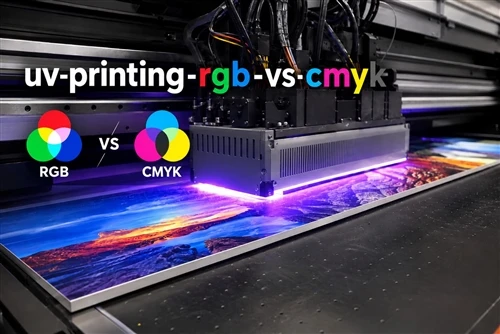
UV printing reverses that relationship. Because output is digital, a full-color photograph costs no more to set up than a single-color logo. Fine gradients, small serif text, complex patterns, and variable designs that change piece to piece are all routine. For customized phone cases, decorative panels, premium packaging, and personalized gifts, UV printing reaches photo-realistic quality that screen printing can only approximate at much higher cost.
White Ink on Dark and Transparent Materials
White ink behavior is often the deciding factor. On a black hoodie, screen printing lays a white underbase first, then prints colors on top. The result has excellent opacity but adds a production step and thickens the print.
UV printers with a white channel do the equivalent digitally, printing a white base layer under CMYK on dark or transparent substrates. Many machines also carry a clear varnish channel, which enables gloss and matte contrast, spot highlights, and raised textures built up from repeated ink layers.
What the Print Actually Feels Like
On cotton, a large screen-printed graphic has a distinct raised, slightly rubbery hand, especially with plastisol ink. Some brands want exactly that; others find it heavy. Water-based and discharge inks solve this by sinking into the fibers instead of sitting on top, at the cost of tighter curing control.
UV prints feel thin and smooth. On rigid products where customers expect a premium finish, that is an advantage: a UV-printed acrylic display or metal sign carries fine detail without texture. On soft goods it is generally a disadvantage, because a cured UV film is less flexible than a textile ink and will not survive repeated washing and stretching as well.
Durability, Adhesion, and Long-Term Performance
Durability is not decided by the printing method alone. It is decided by ink formulation, surface preparation, curing accuracy, material compatibility, and the environment the product lives in. A badly cured print fails no matter which technology produced it.
Where Screen Printing Holds Up
Properly cured textile inks survive hundreds of wash cycles without meaningful fading or cracking. That is why work uniforms, sportswear, and retail apparel still run on screen presses. The variables that matter most are curing temperature and dwell time, ink type, fabric quality, and wash conditions. Under-curing is the most common cause of premature cracking and peeling.
Where UV Printing Holds Up
Cured UV ink forms a hard, cross-linked surface layer with good resistance to abrasion, moisture, chemicals, and sunlight. For outdoor signage, industrial labels, and architectural panels, UV-resistant ink slows the fading that would affect many conventional prints.
The caveat is adhesion. Materials with low surface energy do not automatically bond with UV ink. PP and PE plastics, untreated glass, and very smooth metals usually need one of the following before printing:
- Primer or adhesion promoter
- Corona treatment
- Plasma treatment
- Flame treatment
Skipping this step is the single most common reason UV prints scratch or peel in the field. Always run an adhesion test, such as a tape pull or cross-hatch test, on a production sample before committing to a full run.
Real-World Durability by Application
| Application | Better choice | Why |
|---|---|---|
| Cotton T-shirts | Screen printing | Flexible textile ink, proven wash resistance |
| Hoodies and uniforms | Screen printing | Opacity on dark fabric, high wash cycles |
| Acrylic displays | UV printing | Fine detail, smooth finish, no screens |
| Glass bottles and drinkware | UV printing | Direct printing on curved surfaces with a rotary system |
| Outdoor signage | UV printing | UV and weather resistance, varnish layers |
| Industrial plastic parts | UV printing with surface treatment | Requires primer or corona/plasma pretreatment |
| High-volume paper packaging | Screen printing | Lower unit cost at scale for simple graphics |
Screen Printing vs UV Printing Cost: Where the Money Actually Goes
Comparing screen printing vs UV printing cost by looking at the quoted price per piece is the most common mistake buyers make. The two technologies have opposite cost structures.
- Screen printing: low equipment cost, high preparation labor per job.
- UV printing: high equipment cost, near-zero preparation labor per job.
Setup and Equipment Investment
Screen printing setup charges from U.S. service providers commonly run in the range of roughly $20 to $100 per color, depending on supplier and complexity. A one-color logo is cheap to set up; a five-color design can add several hundred dollars before a single piece is printed.
UV printers invert this. Entry-level flatbed machines start around $10,000, and industrial production systems run past $100,000 depending on print size, number of print heads, automation level, and ink configuration. In exchange, there are no screens, no color separations, no plate storage, and no manual registration.
Cost per Unit by Order Quantity
| Quantity | Screen printing (estimated) | UV printing (estimated) |
|---|---|---|
| 1–10 pieces | $5–$15 per unit | $3–$10 per unit |
| 50 pieces | $2–$8 per unit | $2–$6 per unit |
| 100 pieces | $1.50–$5 per unit | $1.50–$4 per unit |
| 1,000+ pieces | $0.50–$2 per unit | $0.80–$3 per unit |
Estimates only. Actual pricing depends on substrate, print size, artwork, ink coverage, and supplier location.
The crossover point usually sits somewhere between 500 and 1,000 identical units. Below it, avoiding setup fees matters more than press speed. Above it, spreading one setup across thousands of pieces wins.
A Concrete Example
A brand orders 20 promotional bottles with a full-color logo.
- Screen printing: $50 screen setup, plus $3 per bottle. Total $110, or $5.50 each.
- UV printing: no setup, $4 per bottle. Total $80, or $4.00 each.
Now change the order to 5,000 identical bottles. The screen setup is a rounding error spread across 5,000 units, the press runs faster per piece, and ink consumption is lower. Screen printing takes the cost lead decisively.
How Colors and Substrates Move the Number
In screen printing, cost scales with color count. Five colors means five screens, five registrations, and more press time. In UV printing, cost scales with ink coverage and passes, not color count. A small logo on black plastic may need a white base layer plus color, doubling ink laydown and print time, while a full-color photo on white acrylic costs the same as a single-color mark.
Substrate preparation adds cost to both. Flame, plasma, or primer treatment on glass, metal, and low-energy plastics is a real line item, not an afterthought.
Hidden Costs Buyers Forget
- Screen printing: artwork separation fees, sample approval charges, rush fees, ink mixing, screen cleaning, and chemical waste disposal.
- UV printing: ink replacement, heavy white ink consumption, waste ink disposal, print head replacement, and maintenance contracts.
- Both: specialty effects. Metallic, fluorescent, glow, raised texture, and gloss coatings add screens on one side and extra passes on the other.
- Regional: printers in major U.S. metro areas charge more for wages, facilities, and compliance.
Screen Printing Pros and Cons
A fair summary of screen printing pros and cons for commercial buyers:
Advantages
- Lowest unit cost at volume, by a wide margin above the crossover point
- Outstanding color saturation and opacity, including on dark garments
- Proven wash durability on textiles when cured correctly
- Wide ink options: plastisol, water-based, discharge, puff, metallic, reflective
- Mature, widely available supply chain
Disadvantages
- Setup cost per color makes small runs expensive
- Minimum order quantities are unavoidable, because preparation takes similar time for 20 pieces or 2,000
- Photographs and smooth gradients require halftone work and skilled operators
- Fine lines and small text can lose sharpness depending on mesh count and ink viscosity
- Registration errors on multi-color jobs cause blurred edges and color overlap
- Solvents, screen washing wastewater, and PVC-based plastisol require careful chemical management
Ink Choice Changes the Trade-Off
Plastisol gives bright color, high opacity, easy process control, and a slightly raised plastic hand. It contains PVC-based material and carries a heavier environmental profile. Water-based ink penetrates the fibers for a much softer finish and lower VOC impact, but dries faster on the screen and demands tighter curing control. Discharge printing removes the original dye and replaces it with new color, producing the softest hand of all on dark cotton.
UV Printing Advantages and Disadvantages
The honest version of UV printing advantages and disadvantages, for a business evaluating an equipment purchase:
Advantages
- Instant curing: print, inspect, pack, and ship the same day
- No screens, no separations, no plate storage
- Photo-quality resolution, fine gradients, and small text
- Variable data and one-off personalization at no setup penalty
- Very wide substrate range: acrylic, glass, metal, wood, PVC, foam board, leather, plastic, ceramic
- Special effects: white underlays, raised textures, gloss and matte varnish contrast
- Lower VOC emissions than solvent printing
Disadvantages
- High capital cost compared with a basic screen setup
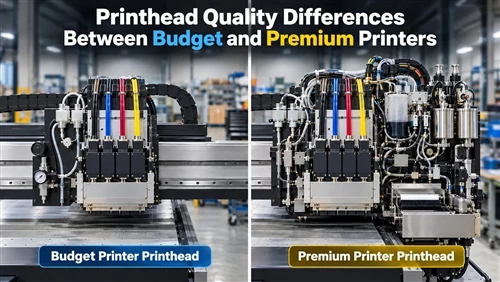
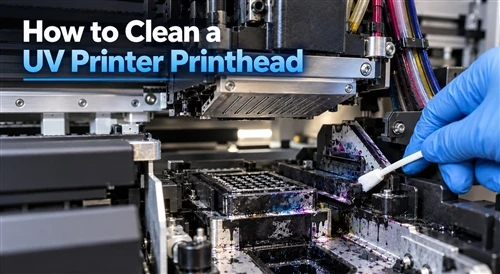
- Print heads, ink circulation, nozzles, and lamps need disciplined routine maintenance
- Neglected maintenance shows up as missing lines, banding, uneven color, and curing failures
- UV inks contain reactive chemistry, including acrylate monomers that can irritate skin on repeated contact
- Adhesion is not automatic; difficult substrates need pretreatment
- Unit cost can exceed screen printing on very large runs of identical simple graphics
LED UV vs Mercury Lamp Curing
| Feature | LED UV | Mercury lamp UV |
|---|---|---|
| Energy consumption | Lower | Higher |
| Lamp lifespan | Longer | Shorter |
| Heat generation | Minimal | Higher |
| Maintenance burden | Lower | Higher |
| Thick ink layer curing | Moderate | Strong |
| Heat-sensitive substrates | Well suited | Riskier |
LED has become the default for most commercial work because of energy savings, lower heat, and fewer replacements. Mercury systems still earn their place where thick ink layers or high curing intensity are required.
How Screen Printing and UV Printing Compare with DTG
For apparel buyers, direct-to-garment printing is the third option worth weighing.
| Factor | Screen printing | UV printing | DTG |
|---|---|---|---|
| Best order size | Medium to large | Any, favors small to medium | Small |
| Setup cost | High per color | Minimal | Minimal |
| Unit cost at volume | Lowest | Moderate | Highest |
| Photo reproduction | Limited | Excellent | Excellent |
| Rigid substrates | Limited | Excellent | Not applicable |
| Textile wash durability | Excellent | Poor to fair | Good |
Environmental, Health, and Compliance Considerations
Neither technology is automatically greener. A well-run UV operation generates little material waste; a modern water-based screen operation can perform excellently on sustainability metrics. What matters is factory practice.
Screen printing management points: solvent use, screen washing wastewater, VOC emissions, ink and chemical disposal, worker exposure, and safe chemical storage. Switching to water-based or low-VOC inks and energy-efficient curing equipment is the highest-impact change most shops can make.
UV printing management points: UV light exposure protection, ozone generated by some mercury systems, ventilation, waste ink handling, and skin contact protection when handling uncured ink. Gloves, eye protection, and following the ink manufacturer's safety data sheet are non-negotiable.
For buyers selling into the United States, workplace chemical handling falls under OSHA guidance, and some substances trigger California Proposition 65 warning requirements. European buyers increasingly audit VOC control, chemical management, waste reduction, and energy efficiency as part of supplier qualification. Ask suppliers for ink certifications and compliance documentation rather than assuming.
A Five-Step Framework for Choosing Between Screen Printing and UV Printing
Work through these in order. The first step that gives a clear answer usually settles the decision.
- Identify the substrate. Flexible textile points to screen printing or DTG. Rigid, curved, or non-absorbent material points to UV printing. This step alone resolves most projects.
- Count the units. Under roughly 500 identical pieces, setup avoidance usually wins and UV or DTG is cheaper. Above 1,000, screen printing's volume economics usually win.
- Assess artwork complexity. One to three flat spot colors favors screen printing. Photographs, gradients, fine detail, or designs that change from piece to piece favor UV printing.
- Define durability requirements. Repeated washing and stretching favors textile screen inks. Outdoor exposure, abrasion, and chemical contact on hard surfaces favors cured UV ink with a varnish layer.
- Test before committing. Request physical samples on your actual substrate, then run a wash test or an adhesion test. This is the only step that produces certainty rather than an estimate.
Three Buying Scenarios
Scenario 1: 5,000 branded T-shirts for a corporate campaign
One two-color logo, dark cotton, same design throughout. Screen printing, with a white underbase. Setup is amortized to pennies per shirt, and wash durability is proven. UV printing would be both more expensive per unit and less durable on fabric.
Scenario 2: 200 personalized glass tumblers for a gift retailer
Each piece carries a different name and a full-color illustration. UV printing on a rotary or cylinder system. Screen printing cannot economically handle 200 different designs, and each variation would require its own screen. Expect a primer or pretreatment step on the glass, and budget for white ink.
Scenario 3: 50 acrylic retail display panels with photographic artwork
UV flatbed printing. The run is far below any screen printing breakpoint, the artwork is photographic, and the substrate is rigid and non-absorbent. Adding a gloss varnish pass on selected areas costs little and raises perceived value significantly.
Summary
Screen printing and UV printing are not competitors so much as complements. Screen printing owns high-volume textile and simple-graphic production, where its thick ink layer and amortized setup deliver unbeatable durability and cost. UV printing owns short runs, personalization, complex artwork, and rigid or shaped substrates, where instant curing and digital workflow remove every setup barrier.
The most resilient production setups run both: screens for the volume orders that pay the bills, and UV for the samples, prototypes, custom work, and premium finishes that win new accounts. Before you commit either way, define your substrate, your quantity, and your durability standard, then request a physical sample and test it under real conditions.
FAQ
How do UV printing and screen printing actually work?
Screen printing pushes ink through a mesh stencil with a squeegee, then cures it with heat. UV printing digitally jets ink onto the surface and cures it instantly with ultraviolet light.
Which method is cheaper for orders under 50 pieces?
UV printing, almost always. There are no screen setup fees to absorb across a small quantity, which makes it the practical choice for prototypes, samples, and personalized products.
At what quantity does screen printing become cheaper?
Typically somewhere between 500 and 1,000 identical units, though the exact breakpoint moves with color count, print size, and substrate. Above that range, the one-time setup is spread thin enough that screen printing's faster press speed and lower ink consumption take over.
Why are screen printing minimum order quantities so high?
Because preparation takes roughly the same labor whether you print 20 pieces or 2,000. Coating, exposing, and registering six screens for a 50-piece order creates a labor cost that cannot be distributed efficiently.
Which method works better on dark garments?
Screen printing. A solid white underbase followed by color layers produces opacity and contrast on black or navy fabric that is difficult to match otherwise.
Can UV printing reproduce photographs better than screen printing?
Yes. Digital inkjet reproduces continuous-tone images, gradients, and fine detail without separate screens per color, which is exactly where screen printing becomes expensive and technically demanding.
Does UV printing work on fabric?
It can print on leather and some coated textiles, but cured UV ink is less flexible than textile ink and will not withstand repeated washing and stretching as well. For apparel, screen printing or DTG remains the correct choice.
How much does a UV flatbed printer cost?
Entry-level machines start around $10,000, and industrial systems exceed $100,000. Price is driven by print area, number and type of print heads, automation level, ink configuration, and throughput.
What is the difference between LED and mercury lamp UV curing?
LED systems use less energy, run cooler, and last longer, which suits heat-sensitive substrates. Mercury lamps deliver higher curing intensity for thick ink layers but consume more energy and require more maintenance.
How well does UV ink adhere to glass and metal?
Adhesion can be excellent, but smooth or untreated surfaces frequently need a primer, or corona, plasma, or flame treatment first. Always run a tape or cross-hatch adhesion test on a sample before production.
What maintenance does a UV printer require?
Routine work includes print head cleaning, nozzle checks, ink circulation inspection, curing system upkeep, and color calibration. Skipping it leads to banding, missing lines, and curing failures.
Is screen printing more environmentally friendly than UV printing?
Neither is automatically better. Water-based screen inks cut VOCs and plastic content, while UV printing eliminates screens, separations, and much of the associated chemical waste. The real difference comes from how the factory manages inks, waste, ventilation, and energy.
Are there health risks in operating a UV printer?
Uncured UV ink contains reactive components such as acrylate monomers that can cause skin irritation or sensitization on repeated exposure. Gloves, eye protection, proper ventilation, and adherence to the manufacturer's safety data sheet are required.
How does curing affect final durability?
Curing determines adhesion, hardness, flexibility, and resistance to washing and scratching. Under-cured prints fade, crack, or peel regardless of which technology produced them, which is why curing temperature and dwell time should be verified rather than assumed.