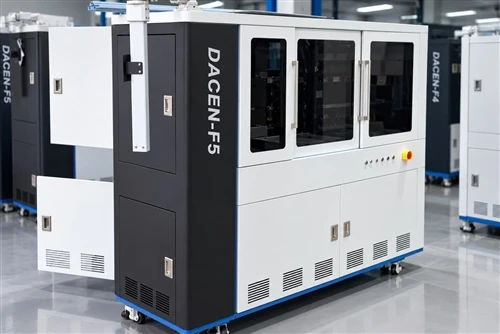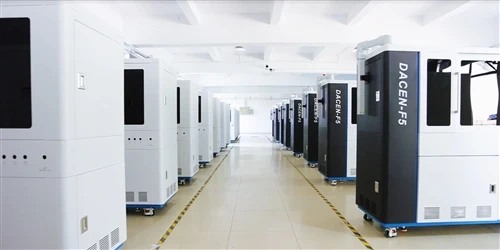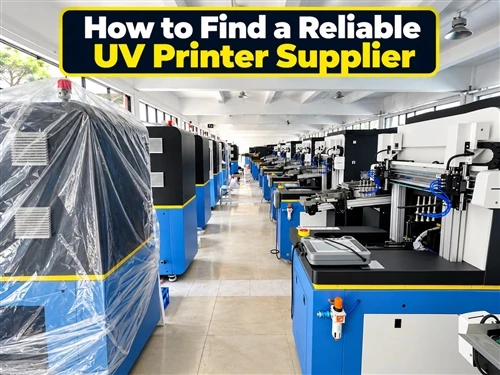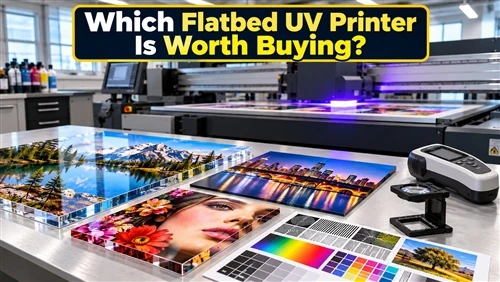
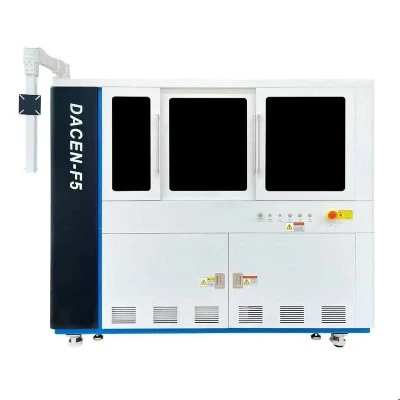


A bottle printer machine is a UV digital printing system designed to print full-color graphics directly onto cylindrical containers such as glass bottles, plastic bottles, aluminium bottles and stainless steel tumblers. Unlike screen printing, it requires no plates or films, making it ideal for short runs, customization and variable designs.
This guide covers how the technology works, which bottle materials and pre-treatments it needs, what different machine classes actually cost, how UV printing compares with screen printing, pad printing and labelling, how to set up and maintain the equipment, and how small workshops and manufacturers turn bottle decoration into a profitable service line.
What Is a Bottle Printer Machine and How Does UV Cylindrical Printing Work?
A bottle printer machine is a digital inkjet system built around a rotary fixture. The bottle is clamped on a rotating axis, industrial piezoelectric printheads spray microscopic UV ink droplets onto the surface, and LED-UV lamps cure the ink within the same pass. Because rotation speed is synchronised with printhead movement, the image wraps around the curved surface without distortion - advanced systems reach a seamless 360-degree full wrap.

The practical difference from traditional decoration is the elimination of preparation. There is no screen to burn, no plate to make, no ink to hand-mix. An operator loads a file, positions the artwork on screen, and the first printed bottle comes off the machine minutes later. That single characteristic is what makes a bottle UV printer viable for one-off personalisation, prototype runs and frequent design changes.
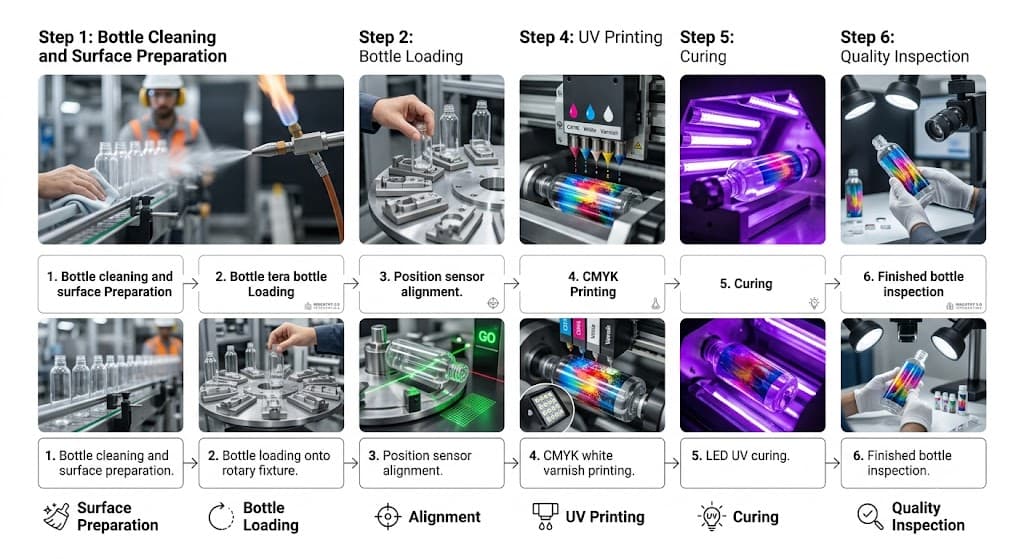
The Printing Sequence, Step by Step
- The bottle is cleaned and, if the material requires it, surface-treated.
- It is loaded onto a rotary fixture matched to its diameter and taper.
- A positioning sensor establishes the print start point.
- The bottle rotates while CMYK, white and optional varnish channels lay down the image.
- LED-UV lamps cure each layer instantly, so wet ink never smears.
- The finished bottle is unloaded and inspected for adhesion and registration.
White ink deserves particular attention. On transparent glass or PET, colours printed directly onto the substrate look washed out. A white underbase printed first restores opacity and makes the artwork read the way it does on screen.
Which Bottle Materials Can a UV Bottle Printer Handle - and What Pre-Treatment Do They Need?
Print durability is decided at the surface, not at the printhead. Every common bottle substrate has a different surface energy, and ink adhesion follows surface energy far more closely than it follows machine price.
| Material | Typical products | Main challenge | Recommended pre-treatment |
|---|---|---|---|
| Glass | Wine, perfume, cosmetic, beverage bottles | Smooth, non-porous, low mechanical key | Degreasing, plasma or flame treatment, glass-specific primer |
| PET / PP / HDPE plastic | Packaging, personal care, sports bottles | Low surface energy, varies by polymer | Corona or flame treatment; PP almost always needs it |
| Aluminium | Promotional drinkware, cans, thermal bottles | Existing powder or lacquer coating | Adhesion test against the coating; primer if required |
| Stainless steel | Premium tumblers, outdoor drinkware | Very low surface energy | Plasma or corona treatment plus specialist primer |
Fingerprints and demoulding residue are the two most underestimated defects. A bottle that looks clean can still carry a silicone film that will lift the print during the first dishwasher cycle. Wiping with isopropyl alcohol before loading costs seconds and prevents most adhesion complaints.
Shape compatibility depends on tooling rather than on the printer itself. Round, slightly tapered, oval and square bottles can all be decorated provided the fixture holds them concentrically; special-shaped packaging normally requires custom tooling built from a physical sample.
Key Specifications to Compare Before Buying a Bottle Printer Machine
Specification sheets look similar across suppliers, so compare the parameters that actually change your output quality and throughput:
- Resolution: 720 × 720 DPI is sufficient for logos and text; 1440 × 1440 DPI is worth paying for on photographic images, gradients and premium packaging.
- Printhead: industrial piezoelectric heads (Toshiba, Ricoh, Epson-class) determine droplet consistency and service life. Ask how many heads, and what a replacement costs.
- Print diameter range: commonly 20–120 mm. Check your smallest bottle as well as your largest - narrow lipstick tubes are often the limiting case.
- Print length: typically 100–300 mm, which decides whether you can decorate a tall tumbler in one pass.
- Ink channels: CMYK as standard; white and varnish channels open up transparent substrates and gloss/matte finishing.
- Curing: LED-UV is now the norm - lower power draw, far longer lamp life and less heat transferred into thin-wall plastics than mercury lamps.
- Ink circulation: internal circulation removes bubbles and prevents pigment settling, which is the single biggest factor in nozzle reliability.
Throughput ranges widely by machine class. Desktop units handle roughly 50–200 bottles per hour with manual loading; multi-station industrial systems such as a fast-speed UV bottle printer reach cycle times near 15 seconds per bottle and, with automatic feeding, several hundred to a few thousand units per hour.
Bottle Printer Machine vs Screen Printing, Pad Printing and Labelling
No single decoration technology wins on every job. The right comparison is between your order profile and each method's economics.
| Method | Strengths | Limitations | Best fit |
|---|---|---|---|
| UV digital (rotary bottle printer) | Full colour, gradients, variable data, no plates, minutes-long changeover | Higher equipment investment, higher ink cost per unit | Custom, short-to-medium runs, frequent design changes |
| Screen printing | Very low unit cost at volume, excellent opacity and coverage | One screen per colour, long setup, weak on gradients | Tens of thousands of identical bottles, 1–2 spot colours |
| Pad printing | Handles irregular and recessed surfaces | Small print area, limited colour complexity | Small marks on awkward geometry |
| Labelling | Lowest entry cost, easy design changes | Labels peel, bubble and scuff; less premium feel | Disposable packaging, regulatory panels |
Where Is the Break-Even Point?
Setup cost is the pivot. Screen printing spreads a fixed preparation cost across the run, so its unit cost falls as volume rises; digital printing has almost no setup cost but a flatter per-unit curve. In practice:
- 500 customised bottles: digital wins clearly - screen preparation alone would exceed the whole job value.
- 50,000 identical bottles, two colours: screen printing usually delivers the lower unit cost.
- Ten designs of 2,000 each in one week: digital wins again, because ten screen changeovers cost more than the ink difference.
Many established decorators run both. Digital covers sampling, personalisation and limited editions; screen printing covers the repeat mass-production contracts. The two are complementary rather than competing.
How Much Does a Bottle Printer Machine Cost? Price Tiers and Total Cost of Ownership
Published price ranges vary widely because "bottle printer machine" covers everything from a desktop rotary attachment to an automated production cell. Three tiers describe the market:
| Tier | Typical price | Configuration | Suited to |
|---|---|---|---|
| Entry-level / desktop | $5,000 – $20,000 | Manual loading, single station, 1–2 printheads | Gift shops, e-commerce personalisation, sampling |
| Professional rotary | $25,000 – $80,000 | Multi-head, servo-driven rotary axis, white + varnish | Promotional suppliers, contract decorators |
| Industrial automated | $80,000 – $200,000+ | Auto feeding, multi-station, vision alignment, conveyor integration | Beverage, cosmetics and packaging manufacturers |
A bottle UV cylinder printer machine in the professional tier is where most growing decorators land, because it adds servo-controlled rotation and quick-change tooling without the floor space and integration cost of a full production line.
Beyond the purchase price, budget for UV ink and cleaning fluid, printhead replacement reserve, pre-treatment consumables, electricity, operator labour and an annual maintenance allowance. A useful working formula:
Cost per bottle = ink + pre-treatment + labour + maintenance + energy, divided across realistic monthly volume - not rated maximum capacity.
For return on investment, divide machine investment by the additional monthly profit the machine generates, not by revenue. A workshop investing $20,000, producing at $1–$3 per bottle and selling customised bottles at $8–$20 recovers the machine after roughly a few thousand units, depending on order mix and how much of the capacity is actually sold.
Buying Used Equipment
Second-hand bottle printers can be sound value, but check printhead condition and accumulated print hours, whether maintenance was logged, whether the RIP software licence transfers, and whether spare parts are still produced for that model. A discounted machine with a near-end-of-life printhead is not a discount.
Setup and Operation: A Practical Workflow
- Install and connect. Set up the control software, connect the machine, and let the ink system prime fully before the first job.
- Calibrate the printheads. Align heads against each other and verify bidirectional accuracy; misalignment shows up as ghosting on curved surfaces long before it shows on flat test prints.
- Fit and zero the tooling. Adjust the fixture to the bottle diameter and confirm the bottle runs true, without wobble at the shoulder.
- Prepare the artwork. Convert to a supported format, set the colour profile, build the white underbase layer for transparent substrates, and define the wrap dimensions so the seam falls where it will be least visible.
- Run a test bottle. Check registration, colour and cure, then perform a tape or cross-hatch adhesion test before committing the batch.
- Save the profile. Store fixture settings, rotation speed and cure parameters under the product name so repeat orders reproduce identically.
Maintenance and Troubleshooting
Almost all downtime on a bottle printer machine traces back to the ink path. A short, consistent routine prevents most of it.
- Daily: wipe the printhead face plate, check ink and waste levels, confirm UV lamp output, run a nozzle check.
- Weekly: clean the circulation and filter system, verify fixture positioning accuracy, clear dust from rails and encoder strips.
- Monthly: inspect capping station seals, recalibrate alignment, review consumption against expected ink usage.
Nozzle clogging is usually caused by long idle periods, poor circulation or improvised cleaning fluids. Run the automatic cleaning cycle, use only the manufacturer's solution, and if the machine will sit unused for more than a week, run a short purge job rather than leaving it dormant.
Poor adhesion almost always comes from the substrate side: contaminated surface, wrong ink for the material, or skipped pre-treatment. Re-clean, verify the ink is rated for that substrate, and add plasma or flame treatment before assuming the printer is at fault.
Banding or misregistration on cylinders points to rotation synchronisation - check for fixture slip, worn drive belts and bottle eccentricity before adjusting print settings.
Durability, Testing and Compliance for the U.S. Market
A common objection is that digital printing is less durable than screen printing. Properly cured UV ink on a correctly prepared surface resists scratching, water and household chemicals well; failures are almost always cure or pre-treatment failures, not ink failures.
For reusable drinkware, customers expect the decoration to survive dishwasher cycles, abrasion, UV exposure and temperature swings. Validate this with real testing rather than assumption: cross-hatch adhesion, repeated dishwasher cycles, and an abrasion test against your worst-case product.
Compliance matters when the decorated item touches food or reaches children. Inks and materials used on food-contact surfaces should meet the applicable U.S. Food and Drug Administration requirements, and promotional products aimed at children may fall under Consumer Product Safety Commission rules, including CPSIA. Ask any supplier for ink safety data sheets, RoHS documentation for the equipment, and adhesion or wash test reports - the paperwork is what corporate and retail buyers will request during onboarding.
Building a Profitable Bottle Printing Business
Bottle decoration becomes profitable where customisation is valued and volumes are too small for screen printing. The strongest niches are craft beverage packaging, personalised water bottles and tumblers, corporate gifting, event merchandise, and limited-edition cosmetic runs.
A representative small-operation model looks like this: a $20,000 machine, production cost of $1–$3 per bottle including ink, pre-treatment and labour, and a selling price of $8–$20 depending on design complexity and quantity. Margin is highest on single-unit personalisation and lowest on mid-volume corporate work, so most workshops build a floor of repeat B2B orders and let on-demand personalisation carry the margin.
Scaling usually follows a predictable order: add automatic loading, then a conveyor and curing tunnel, then a second printing station, then production-management software. Connecting an online design tool to the production workflow is what separates operations that grow from those that stay capacity-limited by manual order handling.
How to Choose: A Short Decision Checklist
- Under 10,000 bottles per month, mixed designs - a digital bottle printer machine is the practical choice.
- Over 100,000 identical bottles per month, one or two colours - screen printing economics win.
- Photographic artwork, gradients or variable data - digital, without qualification.
- Mostly cylinders and tapered cups - buy a dedicated rotary machine rather than a flatbed with an attachment; positioning accuracy and throughput are not comparable.
- Mixed flat and cylindrical products at low volume - a flatbed with a rotary attachment is the cheaper compromise.
- Unfamiliar substrate or coating - request a sample print test before ordering anything.
FAQ
What types of bottles can a bottle printer machine handle?
Glass, PET, PP, HDPE, aluminium and stainless steel containers, in round, tapered, oval and square shapes. Non-standard geometry is handled through custom fixtures built from a physical sample.
How much does a UV bottle printer machine cost?
Entry-level desktop units run roughly $5,000–$20,000, professional rotary systems $25,000–$80,000, and automated industrial lines $80,000 to over $200,000, depending on printhead count, print size and automation level.
Can you screen print on plastic bottles?
Yes, but PET, PP and HDPE have low surface energy, so flame treatment, corona treatment or a primer is normally required. The same applies to UV digital printing on those materials.
What is an automatic glass and aluminium bottle printing machine?
A production system that combines automatic bottle feeding, rotary positioning, digital inkjet printing and inline UV curing, so containers are decorated continuously with minimal manual handling. These systems are common in beverage, cosmetic and promotional packaging plants.
Are UV-printed bottles dishwasher safe?
They can be, but it depends on the combination of ink, substrate coating, pre-treatment and cure quality rather than on the printer alone. Always validate with repeated dishwasher cycles on your actual product before making the claim to customers.
Which method is more cost-effective for small-batch production?
Digital bottle printing, because it avoids screen preparation entirely and allows design changes in minutes. The advantage grows as batch size falls and design variety rises.
How do you keep print quality consistent over time?
Daily nozzle checks and printhead cleaning, disciplined ink and filter management, consistent surface preparation, UV lamp inspection and periodic alignment calibration. Saved production profiles keep repeat orders identical.
Can a bottle printer integrate with an e-commerce or production system?
Yes. Industrial machines integrate with conveyors, loading systems and inspection equipment, and production software can accept customer artwork files directly, which makes print-on-demand and personalised online ordering workflows practical.
Choosing the Right Bottle Printer Machine for Your Products
The right configuration is decided by four things: your bottle materials, your realistic monthly volume, the complexity of your artwork, and how often designs change. Get those four answers straight and the machine class chooses itself; get them wrong and you either overpay for automation you cannot fill or outgrow a desktop unit within a year.
Before committing, send sample bottles for a test print and ask for an adhesion report on your specific substrate and coating. A sample evaluation and a written cost-per-bottle analysis will tell you more about the real return on a bottle printer machine than any specification sheet. Contact our application team to discuss your products and receive a configuration recommendation and quotation.