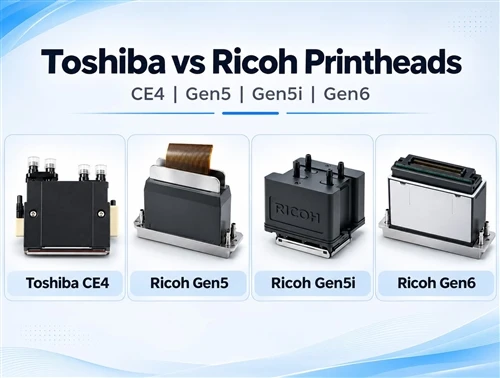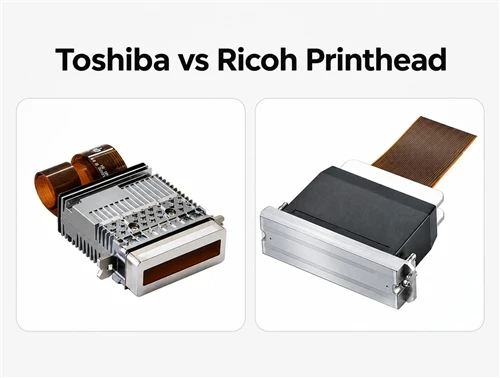


Toshiba vs Ricoh printhead: CE4, Gen5, Gen5i and Gen6 for UV printing
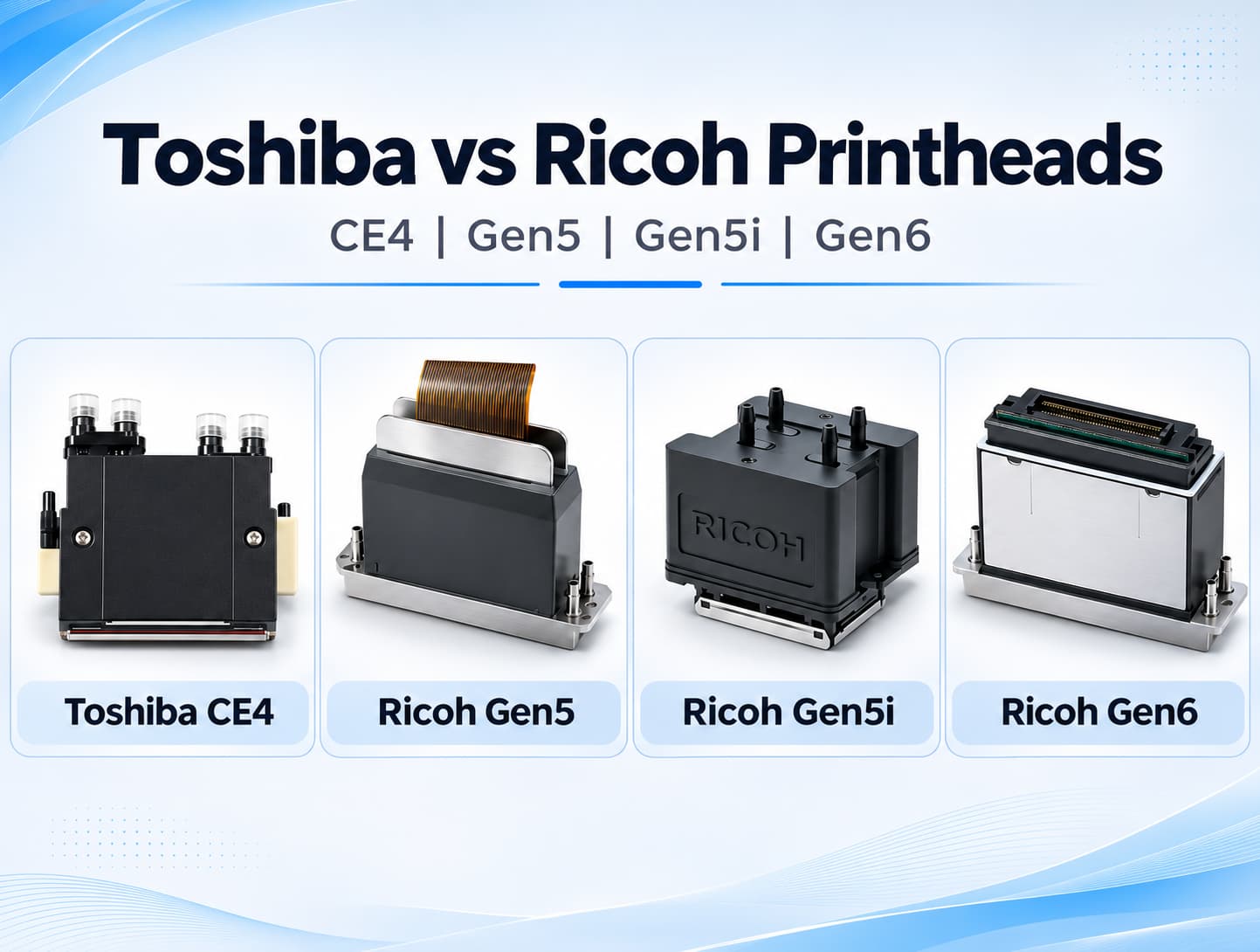
There is no universal winner between Toshiba and Ricoh printheads for UV flatbed printing. Ricoh Gen6 is worth evaluating for fine text and detailed graphics. Gen5 remains an option when the complete printer meets your quality and production requirements. Toshiba CE4 also deserves consideration when its output, operating costs and service support suit the work.
For applications involving white ink, the recirculating Ricoh MH5421F adds another factor to the comparison. Its potential benefit depends on how the printer manufacturer integrates the ink system.
The buying decision should come from printed samples, timed production runs and written operating costs. A printhead specification describes one component of the machine.
Toshiba CE4 vs Ricoh Gen5, Gen5i and Gen6: technical specifications
Confirm the exact printhead model before comparing quotations. This article uses Gen5 for Ricoh MH5420, Gen5i for MH5421F and Gen6 for MH5320. Ask suppliers to put the official model and replacement part number in writing.
| Specification | Toshiba CE4 | Ricoh Gen5: MH5420 | Ricoh Gen5i: MH5421F | Ricoh Gen6: MH5320 |
|---|---|---|---|---|
| Nozzles or channels per head | 636 channels | 1,280 nozzles | 1,280 nozzles | 1,280 nozzles |
| Native nozzle density | 300 dpi | Up to 600 dpi with combined rows | Up to 600 dpi with combined rows | Up to 600 dpi with combined rows |
| Rated drop volume | 6 to 90 pL through multi-drop operation | 7 to 35 pL, depending on ink and mode | 7, 14 or 21 pL, depending on ink | 5 to 15 pL, depending on ink and mode |
| Rated jetting frequency | 28 kHz at 1 drop; 6.2 kHz at 7 drops; 2.8 kHz at 15 drops | 30 kHz binary; 20 kHz grayscale | 30 kHz | 50 kHz at 3 levels; 40 kHz at 4 levels |
| Grayscale levels | 8 standard; 16 maximum | Up to 4 | Up to 4 | Up to 4 |
| Print width | 53.7 mm | 54.1 mm | 54.1 mm | 54.1 mm |
| UV ink compatibility listed | Yes | Yes | Yes | Yes |
These are manufacturer specifications, subject to the stated ink and operating conditions. They are not measurements of complete printer output.
Two details need attention.
First, CE4's 28 kHz rating applies to single-drop operation. The frequency falls as the number of drops increases. Its maximum grayscale capability and maximum frequency therefore describe different operating conditions.
Second, Ricoh's 600 dpi figure uses the combined nozzle rows for one color. Allocating rows to two colors reduces the native density per color. The printer's advertised output resolution also depends on its scanning and print-mode settings.
Model names also matter when checking droplet claims. The MH5320 compared here has a 5 pL minimum droplet. Ricoh's MH5220 is a different model with a 2.5 pL minimum droplet. Its specifications should not be substituted for those of the MH5320.
Print quality and speed on a complete UV printer
Smaller droplets make the MH5320 a candidate for fine graphics. CE4's multi-drop operation provides a wider range of deposited dot volumes. These characteristics suggest what to test; neither establishes which printer will produce better finished work.
Carriage accuracy, head alignment, ink, waveform settings, RIP profiles and curing all affect the result. The useful comparison is how much acceptable work each machine produces in an hour.
What published speed examples show
A NOVA brochure provides the following figures for its NV 2513 UV flatbed printer:
| Printer configuration | Resolution and pass count | Published speeds across the supplier's Uniform and Gradient examples |
|---|---|---|
| NV 2513 with Ricoh G5, 4 heads, CMYK + white + varnish | 726 × 900 dpi, 6 passes | 8.2 to 14.3 m²/h |
| NV 2513 with Ricoh G6, 4 heads, CMYK + white + varnish | 726 × 1200 dpi, 8 passes | 8.8 to 15 m²/h |
These are supplier-published results from different print modes. They do not establish a controlled speed ranking between Gen5 and Gen6, and they provide no equivalent CE4 comparison.
A practical supplier print test
Send each supplier the same artwork and agree on the required finish before testing. Compare the modes that meet that requirement, even if the printers need different pass counts.
| Test item | Suggested setup |
|---|---|
| Substrates | Your production materials, such as acrylic, PVC foam board and coated aluminum |
| Print modes | Supported 4-, 6- and 8-pass modes, with settings recorded |
| Ink layers | CMYK; CMYK + white; CMYK + white + varnish |
| Environment | Record temperature and humidity; use 22°C and 50% relative humidity only if permitted by each OEM |
| Repetitions | Three timed runs for each configuration |
These are suggested purchasing-test conditions, not a universal industry standard.
Include 4-point lettering, 0.2 mm lines, skin tones, gradients and solid white areas. Check edge definition, banding, tonal transitions and white opacity on the actual substrate.
Record production time consistently, including any loading, cleaning or other interruptions included in the comparison. A printer that completes the image quickly may still produce fewer acceptable pieces over a working shift.
Curing belongs in the acceptance test. Check adhesion, scratch resistance and curing performance against the requirements of the finished product.
Lifespan, ink compatibility and maintenance
The cited product specifications do not establish a directly comparable, guaranteed service life for these four heads using the same UV inks.
Ask for maintenance records from comparable installations. Useful evidence includes nozzle checks, cleaning frequency, replacement history, ink consumption during purging and the time required to recover from interruptions.
A claim that one head "lasts longer" needs operating conditions and records behind it.
Ink compatibility needs approval for the actual system
CE4 supports UV-curable pigment inks, but RISO recommends material compatibility testing. Its ceramic chassis includes a water channel for temperature control. That water circuit should not be confused with ink recirculation.
Ricoh MH5420 uses stainless steel construction, integrated heating and ink paths isolated from the piezoelectric actuators. Those features do not establish compatibility with every UV ink sold for industrial printing.
For any of these heads, obtain approval for the specific ink, operating temperature and waveform used in the proposed printer. "UV-compatible" is too broad to settle that question.
What MH5421F recirculation can help with
Ricoh describes the MH5421F's recirculating structure as a way to reduce jetting failures associated with clogging and trapped air. It also identifies benefits for inks containing white or metallic materials.
For white-ink work, ask the printer supplier to explain the entire ink circuit. Confirm how the system handles the tank, supply lines and printhead, and which circulation or agitation functions remain active during idle periods.
Head recirculation is a useful feature to evaluate. It does not establish that the complete white-ink system will be free from settling or clogging.
Daily maintenance and nozzle recovery
Follow the printer manufacturer's procedure for the installed system. A maintenance routine should cover:
1.Nozzle checks before production, with missing nozzles recorded.
2.White-ink circulation or agitation according to the OEM procedure.
3.Cleaning of the capping station, wipers and permitted printhead surfaces with approved materials.
4.Checks of ink temperature, negative pressure, environmental conditions and unwanted UV exposure.
5.Approved cleaning cycles and a clear point for contacting a technician.
Some nozzle losses may recover after an approved cleaning cycle. Damaged nozzle plates, internal leaks, electrical faults or chemical damage may require replacement.
Aggressive flushing and ultrasonic cleaning should not be treated as routine recovery methods without approval for that printhead and ink system.
Application fit and printer integration
Use the application to decide what evidence to request.
| Application | Evaluation priority |
|---|---|
| Large-format signage | Compare acceptable output per hour, solid fills and quality at the intended viewing distance across CE4-, Gen5- and Gen6-equipped machines |
| Promotional products | Include Gen6 in fine-text and small-logo testing, then compare the actual samples with competing configurations |
| Packaging prototypes | Evaluate detail, registration, white opacity and repeatability; assess MH5421F recirculation where it is part of the proposed system |
| Industrial decoration | Validate ink chemistry, adhesion, curing and repeatability on the actual production material |
These are testing priorities rather than a ranking of application winners.
Confirm hardware and RIP compatibility
Changing printhead families requires more than matching the physical space on a carriage.
Confirm mounting, electrical connections, controller support, waveform files, ink supply and negative-pressure requirements. Even heads within the same commercial family may have different cables or OEM assemblies.
Check the complete RIP workflow as well. If the supplier proposes ONYX, PhotoPRINT or another RIP, ask for a demonstration of the required features, including ICC profiles, white underprinting, varnish layers and spot-color handling.
A supported RIP name does not establish that every required feature works on the quoted machine configuration.
Compare suppliers with a weighted scorecard
The following weights provide a starting point. Adjust them to reflect your production priorities.
| Criterion | Suggested weight | Evidence to request |
|---|---|---|
| Print quality | 30% | Approved samples on your materials |
| Reliability and uptime | 25% | Maintenance logs and comparable customer records |
| Three-year TCO | 25% | Written costs using shared assumptions |
| U.S. service coverage | 15% | Named service provider, locations and response terms |
| Integration and RIP | 5% | Demonstration of the required workflow |
Score each criterion from 1 to 5. Multiply each weight by the score divided by five, then add the results for a total out of 100.
Mark missing evidence as "Not evaluated." Resolve those gaps before treating the totals as comparable.
Which printhead should you choose?
For a new installation focused on small text and detailed graphics, include Ricoh Gen6 in the print trial. Evaluate MH5421F when head recirculation addresses a documented need in the proposed ink system.
Keep CE4 and Gen5 on the shortlist when their complete printer configurations meet the required finish, production volume and ownership budget.
Before ordering, obtain identical sample prints, timed runs, a three-year cost worksheet and written service terms. Where possible, speak with an existing customer producing similar work on the same configuration.
Frequently asked questions
Is Toshiba CE4 or Ricoh Gen6 better for UV flatbed printing?
Gen6's smaller minimum droplet makes it worth testing for fine graphics. CE4 offers a wider multi-drop volume range. The better purchase depends on the finished samples, acceptable production speed and support available for the complete printer.
Are Ricoh printheads more reliable than Toshiba printheads?
The cited specifications do not establish a general reliability winner under identical UV printing conditions. Compare the actual ink system, maintenance requirements and service records of the proposed machines.
Which setup has the lowest maintenance requirements?
Look for a validated ink system, effective automatic maintenance, stable operating conditions and accessible service. Ask suppliers to demonstrate the daily routine and provide records from comparable installations.
Which printhead is better for white ink?
MH5421F's recirculating design is relevant to white-ink evaluation. White opacity and operating stability also depend on the ink formulation, deposited volume, tank and line management, print mode and curing conditions.