

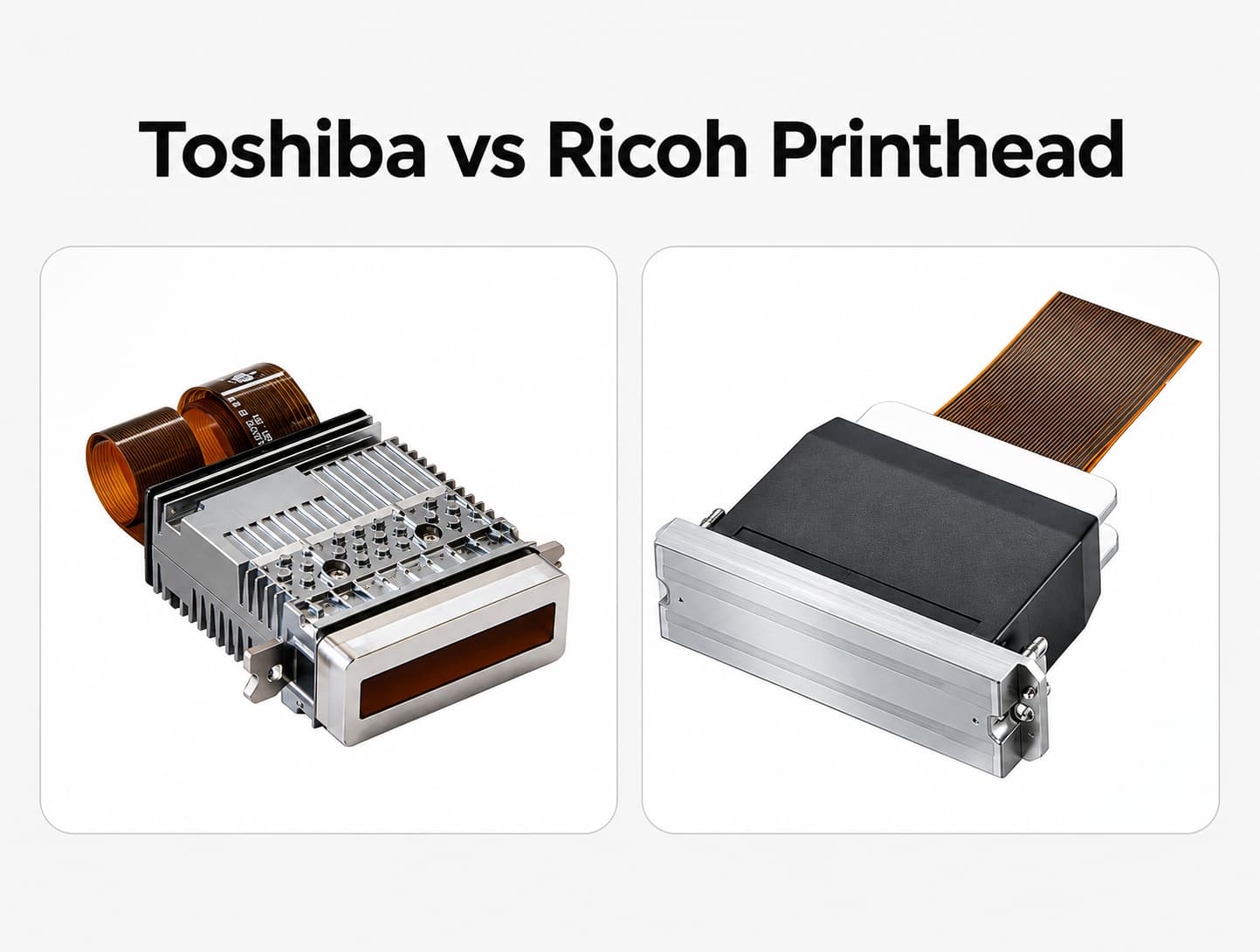
Toshiba vs Ricoh printhead: Which is better for UV and industrial printing?
For detailed UV graphics, Ricoh Gen6 MH5320 is worth shortlisting because of its fine-droplet capability and nozzle configuration. Toshiba CF1B deserves consideration when the application calls for ink recirculation through the head, while CF1BXL is a candidate for heavier ink deposition. Use these features to decide which complete printers to test.
The better choice is the configuration that produces acceptable work at your required output rate, with manageable maintenance and replacement costs. Ink, drive waveforms, motion control and UV curing all influence that result.
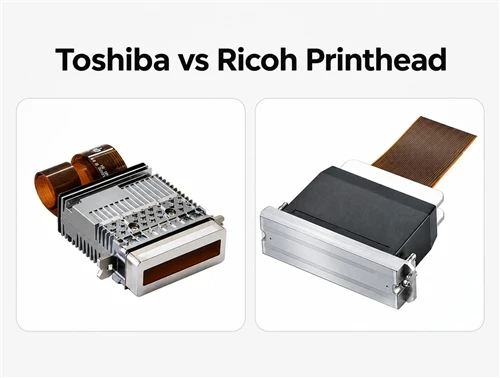
This guide compares published specifications for Toshiba CA3, CA4 and CF1B with Ricoh Gen5 MH5420 and Gen6 MH5320. Application recommendations are based on those specifications; they do not represent a controlled side-by-side production trial or cover every model in either supplier's range.
Toshiba vs Ricoh printhead specifications
All five heads use piezoelectric drop-on-demand technology. An electrical signal moves a piezoelectric actuator, creating the pressure needed to eject ink through a nozzle.
Their nozzle arrangements, droplet ranges and fluid-management designs differ:
| Specification | Toshiba CA3 | Toshiba CA4 | Toshiba/RISO CF1B | Ricoh Gen5 MH5420 | Ricoh Gen6 MH5320 |
|---|---|---|---|---|---|
| Channels or nozzles | 318 channels | 318 channels | 636 nozzles | 1,280 nozzles | 1,280 nozzles |
| Published nozzle pitch or single-color density | 150 dpi pitch | 150 dpi pitch | 300 npi | 600 dpi, single color | 600 dpi, single color |
| Published drop-volume range | 6 to 42 pL | 6 to 90 pL | 6 to 42 pL | 7 to 35 pL | 5 to 15 pL |
| Grayscale levels | 8 | 8 standard; 16 maximum | 8 | Up to 4 | Up to 4 |
| Published firing conditions | 13.8 kHz at 1 drop, reference value; 4.8 kHz at 7 drops | 28 kHz at 1 drop; 6.2 kHz at 7 drops | 4.97 kHz at 7 drops | 30 kHz binary; 20 kHz grayscale | 50 kHz at 3 levels; 40 kHz at 4 levels |
| Listed ink categories | UV-curable, oil-based | UV-curable, oil-based | UV-curable, oil-based | UV, solvent, aqueous | UV, solvent, aqueous |
Specifications are drawn from the Toshiba CA3/CA4 datasheet, RISO CF1B specifications, Ricoh MH5420 specifications and Ricoh MH5320 specifications. Drop volumes and supported grayscale operation depend on the ink and operating conditions.
A picoliter (pL) measures droplet volume. Nozzles per inch (npi) describes nozzle density. Neither figure, by itself, tells you the resolution or appearance of a finished print.
Nozzle density and output resolution
Ricoh's 600 dpi single-color configuration uses four staggered rows. Assigning those rows to two colors gives 300 dpi per color. The related four-color MH5440 and MH5340 variants provide 150 dpi per color in that configuration; MH5420 and MH5320 support a maximum of two colors per head. Ricoh Gen5 configurations, Ricoh Gen6 configurations.
Ask how the proposed printer assigns its color channels and builds its advertised output resolution. A nozzle-density figure and a printer's output-dpi setting describe different aspects of the system.
Ink recirculation and temperature control
CA3 and CA4 use ceramic chassis with water channels for thermal management. That cooling arrangement is separate from ink recirculation. RISO identifies these CA models as nonrecirculating, while CF1B circulates ink through all channels. Toshiba CA3/CA4 datasheet, RISO printhead history.
RISO describes CF1B circulation as a way to reduce ink stagnation, address sedimentation near the nozzles, remove bubbles and stabilize temperature. Those benefits still depend on the ink and the external circulation system. RISO CF1B design.
The Ricoh models use piston-pusher actuators with metallic diaphragms. Both MH5420 and MH5320 include an integrated heater and thermistor. These features help define the printer's integration requirements; they do not establish a brand-wide reliability ranking. Ricoh MH5420 design, Ricoh MH5320 design.
Which printhead produces better UV print quality?
A smaller nominal droplet can help render fine text and gradients. However, the difference between a 5 pL and 6 pL minimum does not establish which complete printer produces sharper images. Ink spreading, substrate condition, drop placement and RIP screening also affect the result.
The same applies to grayscale. CA4's higher maximum level count does not automatically mean smoother images than a Ricoh head with fewer levels. The printer must control those droplets consistently with the selected ink.
Larger droplets can be useful when the job requires more ink per dot. RISO lists CF1BXL at 36 to 180 pL, making it a candidate for applications requiring heavier deposition. Raised UV effects still need validation of the complete printing and curing process.
Compare samples containing your smallest text, fine lines, pale gradients, solid fills and high-coverage artwork. Inspect them at the viewing distance your customers will use. A close-up photograph of one attractive sample is not enough to assess repeatable production quality.
Which is faster: Toshiba or Ricoh?
Firing frequency describes printhead operation under a stated mode. It cannot be converted directly into square meters per hour or finished pieces per hour.
The table includes one-drop, multi-drop and different grayscale conditions. Comparing those frequencies as though they were measured in the same mode would give a misleading speed ranking.
Complete-printer output also depends on head count, color assignment, carriage movement, pass count, ink delivery and curing capacity. White and varnish layers must be included when they are part of the production job.
Scanning pass modes and fixed single-pass systems
In a scanning printer, the carriage moves across the work. Increasing the pass count generally trades some throughput for more opportunities to distribute dots and reduce visible artifacts.
| Scanning mode | Typical trade-off within a comparable setup |
|---|---|
| 1-pass | Higher potential throughput, with fewer opportunities to distribute dots across passes |
| 4-pass | More dot distribution, with a corresponding time cost |
| 8-pass | Further opportunities to reduce artifacts, usually with lower throughput |
A fixed single-pass printer uses a different architecture: the substrate moves past a stationary printhead array. It should be evaluated separately from a scanning printer's 1-pass setting.
For a useful demonstration, use the same artwork and actual production materials, with inks validated for each system. Record the resolution, pass count, print gap and color layers. Measure accepted output over a representative run and include cleaning interruptions, rejects and loading time in the production assessment.
RISO's published printing examples identify the head, ink, resolution and other test conditions. Any claimed result should be read with those conditions.
Printhead lifespan and maintenance
There is no single replacement interval that applies to every Toshiba CA, CF1, Ricoh Gen5 or Gen6 installation. Ink chemistry, operating duty, contamination, maintenance and idle periods all affect service life.
Ricoh reports more than double the aqueous-ink compatibility and service life for MH5320/MH5340 compared with MH5421/MH5441, using Ricoh-defined ink and evaluation procedures. That specific comparison does not establish twice the service life in UV printing. Ricoh's stated test scope.
When evaluating service claims, ask for operating records from comparable printers using the same ink. A replacement history is more useful when it includes production hours, maintenance routines and the reasons for replacement.
| Symptom | Possible contributors | Appropriate next step |
|---|---|---|
| Missing nozzles | Deposits, contamination or air bubbles | Follow the printer supplier's approved recovery procedure |
| Deflected jets | Nozzle contamination or damage | Compare nozzle tests and arrange inspection if recovery fails |
| Unstable jetting | Temperature, pressure or waveform mismatch | Have the operating settings checked |
| Ink leakage | Seal damage or incompatible fluids | Have the fluid path inspected and affected components serviced |
| Electrical failure | Moisture, connection faults or damaged electronics | Stop operation and seek qualified service |
Follow the printer manufacturer's maintenance schedule for nozzle checks, capping, cleaning, filtration and shutdown. Head recirculation does not remove these requirements.
Before buying, confirm local replacement stock, technician availability, installation requirements and warranty exclusions. For budgeting, you can model replacement at 12, 24, 36 and 60 months to see how sensitive costs are to service life. These are planning scenarios, not expected or guaranteed lifespans.
Ink compatibility and printer integration
An ink category such as "UV-compatible" does not approve every formulation in that category. Check the exact ink, cleaning fluid and operating conditions with the printer supplier.
Third-party ink may reduce purchase costs, but an unsuitable formulation can create jetting or material-compatibility problems. Ricoh recommends jetting and immersion testing with the intended ink. Its reference list of tested inks is dated September 2023, so confirm the current formulation and model combination before relying on it.
For a new installation or proposed conversion, verify:
- Electrical requirements, including the driver board, power supplies, connectors and supported waveforms.
- Fluid requirements, including ink chemistry, viscosity, pressure, filtration and cleaning liquid.
- Temperature control, including heaters, sensors and cooling arrangements.
- Mechanical fit, including mounting, clearance, print gap and alignment.
- Controller, firmware and RIP support for the intended configuration.
A Toshiba-to-Ricoh conversion requires confirmation across these systems. Physical fit alone is insufficient. Ask the supplier to document the conversion requirements and explain in writing how any head or ink change affects warranty coverage.
For a broader purchasing checklist, see How to Choose a UV Printer Printhead: 9 Key Factors.
Comparing ownership costs
Use the same operating period and production assumptions for each quotation. A three- to five-year comparison can expose costs that a replacement-head price leaves out.
For the printhead-related portion of ownership cost, use:
Five-year printhead-related cost = initial head cost + replacement heads + ink and cleaning supplies + maintenance labor + downtime losses + spare-parts inventory holding cost.
This calculation covers the listed costs. A complete printer investment comparison also needs the remaining machine and operating costs.
For example, assume 16 hours of downtime causes a contribution loss of $150 per hour. The estimated loss is $2,400. Those figures illustrate the calculation; they are not Toshiba or Ricoh operating-cost data.
Use supplier quotations for replacement heads and service, and use your own production records for labor and downtime assumptions. Compare costs at the output quality you can sell.
Application-based candidates to test
| Application | Candidate to evaluate | Evidence to request |
|---|---|---|
| Detailed UV signage and graphics | Ricoh Gen6 MH5320 configuration | Fine text, gradients and accepted output at the required quality |
| Heavier ink deposition or raised decoration | CF1BXL configuration | Deposition results, curing and finished-surface quality |
| Digital textile printing | A Ricoh model validated with the intended aqueous ink | Compatibility and production samples on the actual fabric |
| Detailed labels and packaging | Ricoh Gen6 configuration | Small text, registration and sustained production output |
| Pigmented UV coding and marking | CF1B recirculating configuration | Legibility, restart behavior and stable jetting with the selected ink |
A scorecard for actual printer proposals
Rate each proposed printer from 1 to 5 in the categories below. Use measured samples, documented service information and comparable cost estimates to support each rating.
| Criterion | Suggested weight |
|---|---|
| Print quality | 30% |
| Accepted production throughput | 25% |
| Ink and system compatibility | 20% |
| Reliability and service support | 15% |
| Five-year ownership cost | 10% |
Multiply each rating by its weight and add the results. The maximum score is 5. Adjust the weights to suit your workload; these percentages are a planning tool, not an industry standard.
Request a sample test before choosing a printer
Prepare your actual material, artwork, required daily output and intended color configuration before requesting a demonstration. Ask the supplier to record the exact head model, ink, pass count, print gap, elapsed production time and nozzle condition used for the samples.
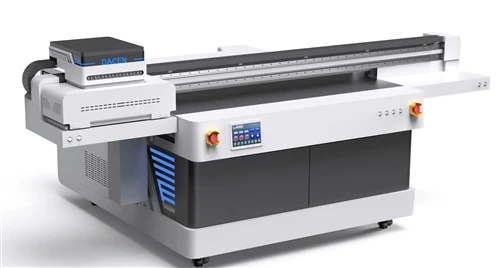
You can review DACEN UV printing samples and contact us to discuss your application and available configurations.
Before placing an order, obtain the sample results, replacement-head quotation, maintenance requirements and service terms in writing.
Frequently asked questions
Is Ricoh Gen6 better than a Toshiba printhead for UV printing?
Ricoh Gen6 is a reasonable candidate for detailed UV graphics, while CF1B offers all-channel recirculation and CF1BXL supports larger droplets. Compare the exact models in complete printers. Published specifications alone do not establish a universal winner.
What is the difference between Ricoh Gen5 and Gen6?
For the MH5420 and MH5320 models compared here, Gen6 has a smaller published minimum drop and higher specified firing frequencies. Gen5 can still be suitable when its printer configuration meets the required quality, output and support needs. Use the mode-specific figures in the specification table.
Does a higher firing frequency mean a faster UV printer?
It indicates potential at the printhead level under the stated conditions. Finished output also depends on the printer's motion, pass count, head arrangement, color layers, ink delivery and curing. Request a timed production run using the intended settings.
How long do Toshiba and Ricoh printheads last?
Neither brand has one service-life figure that applies to all models and installations. Request reliability information for the exact head, ink and operating conditions, together with the supplier's replacement and warranty terms.
Can third-party ink affect printhead warranty coverage?
Ask the supplier to confirm coverage for the proposed ink in writing before changing it. Compatibility testing should cover jetting performance and the materials in the fluid path, including the cleaning liquid.
Which printhead costs less over five years?
Compare actual quotations and production assumptions. Include replacement heads, cleaning supplies, maintenance labor, spare parts and downtime. A lower head price can be outweighed by higher operating costs.
Can I replace a Toshiba head with a Ricoh head?
Only after the printer's mechanical, electrical, fluid and control systems have been checked for compatibility. Cross-family changes can require substantial engineering, calibration and supplier support.
How do Toshiba and Ricoh compare with Kyocera and Epson?
Kyocera also offers industrial piezoelectric heads, including recirculating models. Epson's PrecisionCore combines thin-film piezoelectric technology with MEMS fabrication. Apply the same model-specific checks for ink compatibility, required detail and complete-printer performance. Kyocera printhead range, Epson PrecisionCore technology.