

Digital glass printing uses UV-curable ink jetted directly onto a glass surface and cured instantly with UV-LED light, replacing screens, films and long drying cycles.
This guide explains how the technology works, how durable the prints really are, what a printed glass costs per piece, and how to choose between a rotary UV cylinder printer and a flatbed system. It is written for breweries, promotional product suppliers, drinkware brands and glass decorators who need to decorate bottles, tumblers, cocktail glasses or flat panels without the setup burden of screen printing.
What Is Digital Glass Printing?
Digital glass printing is a direct-to-object inkjet process. Artwork goes from a digital file through a RIP to the printer, where piezo printheads deposit UV ink onto the glass. A UV-LED lamp travels with the carriage and cures each pass within seconds, so the ink hardens on the surface instead of drying by evaporation.

Two things separate it from other glass decoration methods:
- No tooling. There are no screens, no color separations and no pad plates, so a one-off design costs the same to set up as a thousand-piece run.
- No layered carrier. Unlike decals or transfer films, nothing sits between the ink and the glass, which removes the peeling and edge-lifting failure modes those methods introduce.
Digital Glass Printing vs. Screen Printing, Decals and Hot Stamping
Each method still has a place. The table below compares them on the factors that actually drive a purchase decision.
| Factor | Digital UV printing | Screen printing | Ceramic decal | Hot stamping |
|---|---|---|---|---|
| Setup per design | None | One screen per color | Film production | Die required |
| Economical run length | 1–5,000 | 1,000+ | 500+ | 1,000+ |
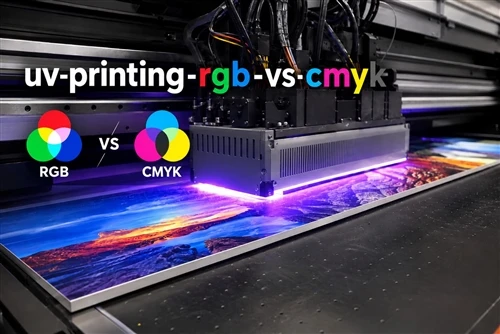
| Full color / gradients | Yes, CMYK + white | Limited, spot colors | Yes | No |
| Variable data (names, numbers) | Yes | No | No | No |
| Time to first piece | Minutes | Hours to days | Days | Days |
| Ink layer | Thin, bonded to glass | Thicker deposit | Separate film layer | Foil layer |
The practical takeaway: screen printing still wins on unit cost at very high volumes of a single, simple design. Digital glass printing wins everywhere else - short runs, frequent artwork changes, photographic content and personalization.
How Printing on Cylindrical Glass Works: A 5-Step Process
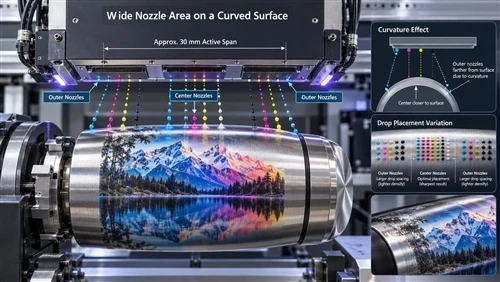
Curved glass is the hardest case, because the printhead must stay at a constant distance from a surface that is moving away from it. A rotary system solves this by spinning the product instead of moving the head around it.
- Surface preparation. Clean the glass to remove mold release, oils and dust. On some glass types a primer or flame treatment is added here; with glass-optimized ink systems this step can often be skipped.
- Loading and fixturing. The bottle or glass is seated in a rotary fixture. Tapered and shaped items need tooling matched to their profile - this is where most alignment problems originate.
- Alignment and calibration. Laser positioning sets the print start point and height, so the logo lands where the artwork says it should.
- Rotary printing. A servo-driven axis rotates the product under the printhead while ink is deposited. White ink is normally laid first as a base on colored or transparent glass, then CMYK on top, with an optional gloss or matte varnish.
- UV-LED curing and inspection. Curing happens in-line, within seconds. Parts can be handled immediately; a post-cure step is optional and covered below.
Print Durability: Adhesion, Scratch Resistance and Dishwasher Performance
Why glass is difficult
Glass is smooth, non-porous and chemically inert. Ink cannot penetrate it, so all adhesion is mechanical and chemical bonding at the interface. That makes three variables decisive: ink chemistry, surface cleanliness and cure completeness. Get any one wrong and the print will pass a fingernail test on day one and fail after twenty wash cycles.
How durability is measured
- Cross-hatch tape test (ASTM D3359) - the fastest adhesion check on the production floor.
- Taber abrasion - an abrasive wheel runs across the print under controlled load; coating loss and color change are measured.
- Steel wool / abrasive pad rub - a rough but useful simulation of commercial handling.
- Dishwasher cycling - the real-world test that matters most for drinkware. Run the actual product, with the actual detergent, for the number of cycles the product is expected to see.
Worth noting: a print can look intact to the naked eye while showing micro-cracking under magnification. Those micro-cracks are where later fading starts, so serious durability evaluation inspects the ink layer, not just the visible image.
Post-curing and UV stability
An additional post-cure step drives crosslinking further and measurably improves surface hardness, chemical resistance and adhesion strength. It costs cycle time, so it is usually reserved for restaurant glassware and reusable bottles rather than one-day event giveaways.
For outdoor products - festival cups, resort drinkware, signage - pigment lightfastness becomes the limiting factor rather than abrasion. Specify a UV-stable ink set if the product will live in sunlight for months.
Setting realistic expectations
Dishwasher and abrasion performance are not fixed properties of a machine; they are outcomes of ink formulation, cure energy, wash temperature, detergent aggressiveness and glass condition together. Any supplier quoting a single universal cycle count is oversimplifying. Test printed samples of your own product before committing to volume.
Cost per Piece and Return on Investment
Take a representative job: 500 wine glasses, one four-color logo, full wrap not required.
- Ink: roughly $0.15–$0.50 per glass, depending on coverage and whether a white underbase is used. White ink is the single biggest cost driver - a solid white base can double ink consumption.
- Labor and setup: roughly $0.10–$0.60 per glass. On a dedicated rotary system with existing tooling, this is loading time only. On a flatbed with a bolt-on rotary attachment, add fixture installation, height calibration and test alignment for each new diameter.
- Pretreatment: $0 with glass-optimized inks; add material and labor if primer or flame treatment is required.
- Scrap: the hidden cost. Misregistration on curved surfaces produces unusable parts, and glass scrap is expensive scrap.
These are planning ranges, not quotes - actual figures depend on machine, ink and artwork. The wider point is that dedicated cylindrical equipment usually saves money through setup time and reject rate rather than through cheaper ink.
For total cost of ownership, also account for printhead life and replacement cost, ink system maintenance, UV lamp service, floor space and operator skill requirements. A compact cylindrical machine fits a promotional print shop; a large-format flatbed needs dedicated floor area and ventilation planning.
Cylinder Printer or Flatbed? Choosing the Right Machine
Choose a rotary cylinder printer if you print
- Beer glasses, wine bottles, water bottles, thermos flasks, tumblers, conical and shaped cups
- Full-wrap or wrap-around graphics requiring seam-free registration
- Repeat production of the same product family with changing artwork
Everything on a dedicated cylindrical machine - fixture, servo-driven rotation axis, curing geometry, software - is built around one problem, which is why setup is faster and rejects are fewer. Shops running several hundred to several thousand pieces a month typically see payback come from labor and scrap reduction rather than headline speed.
Choose a flatbed if you print
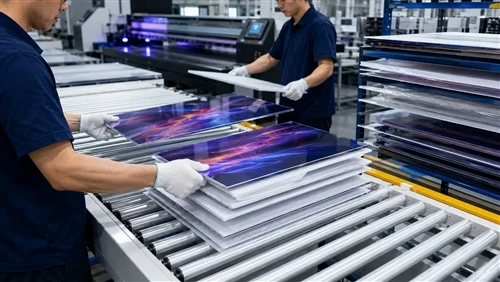
- Decorative and architectural glass panels, glass awards, splashbacks, signage
- Oversized or thick items where drop height matters
- Mixed substrates - acrylic, wood, metal, ceramic tile - alongside glass
A UV flatbed printer is the more versatile platform, and for flat glass it is simply the better tool. It can handle cylindrical items with a rotary attachment, but the setup overhead per diameter change makes that a reasonable fit for occasional jobs rather than daily bottle production.
Scaling up
When a single rotary station becomes the bottleneck, the next step is usually parallel stations rather than a faster head: a multi-station cylindrical UV printer lets one operator load and unload while printing continues, which is where per-piece labor cost drops sharply.
Troubleshooting Common Glass Printing Problems
| Symptom | Likely cause | Fix |
|---|---|---|
| Ink lifts in tape test | Surface contamination or under-cure | Improve cleaning; increase UV energy; verify ink shelf life |
| Fading after washing | Incomplete crosslinking | Add post-cure; check lamp output degradation |
| Visible seam on full wrap | Rotation axis calibration or fixture slip | Recalibrate circumference; check fixture grip and product roundness |
| Blurred or stretched image | Inconsistent head-to-surface distance | Use tooling matched to the product profile; re-set height on tapered items |
| Weak white opacity | Insufficient underbase passes | Increase white layers; check white ink circulation and settling |
| Nozzle dropouts | Ink drying in the head or pigment settling | Follow purge schedule; use ink systems with internal circulation |
Environmental and Compliance Considerations
UV-curable inks cure by photopolymerization rather than solvent evaporation, which substantially reduces VOC emissions compared with solvent-based decoration. Curing energy is also lower than thermal drying or ceramic firing, and there are no screens to reclaim and no cleaning chemicals to dispose of.
For drinkware, the relevant question is indirect food contact - the print sits on the outside of the vessel, not on the drinking surface. Ink systems with food-contact compliance documentation are available, but compliance attaches to a specific ink and application, not to a printer. Confirm the documentation for the exact ink set and product configuration before production, particularly for items sold into the U.S. or EU retail channels.
Who Uses Digital Glass Printing
Craft breweries and beverage brands. A limited-edition glass collection of a few hundred units is uneconomical to screen print but straightforward to print digitally. Seasonal designs, taproom exclusives and collaboration releases become viable products rather than budget line items.
Promotional product suppliers. Corporate gift orders arrive with tight deadlines and small quantities. Personalization - individual names on each glass - is impossible with screens and trivial digitally.
Hospitality suppliers. Restaurant and hotel glassware is washed hundreds of times a year, so this segment prioritizes post-cured, chemical-resistant prints over the lowest per-piece cost.
Glass and packaging manufacturers. Sample bottles, prototype packaging and short-run premium SKUs can be decorated in-house instead of outsourced, cutting weeks from product development cycles.
How to Evaluate a Supplier Before You Buy
- Send your actual product. Not a similar bottle - the exact glass, with its exact coating and taper. Request printed samples.
- Test the samples yourself. Cross-hatch tape test, then your own dishwasher with your own detergent, for the cycle count your customers will realistically apply.
- Ask what tooling is included. Custom fixtures for shaped and tapered items are a real cost; confirm whether they are quoted, made in-house and how long they take.
- Check ink supply terms. Whether the system accepts third-party ink affects long-term running cost and support scope. Get this in writing.
- Verify support coverage. Printhead replacement lead time, remote diagnostics and operator training determine downtime cost more than any spec sheet number.
Summary
- Digital glass printing removes tooling from the equation, making short runs, personalization and fast design changes economically viable.
- Durability is a system outcome - ink chemistry, surface preparation and cure completeness - not a machine specification. Test with your own product.
- Rotary cylindrical systems are the right tool for bottles, cups and tumblers; flatbeds are the right tool for panels, awards and mixed substrates.
- Cost advantage comes mainly from setup time and reject rate, not from ink price.
- Post-curing and UV-stable inks are worth their cycle time for washed and outdoor products, and unnecessary for single-use event items.
Get a Sample Evaluation
The fastest way to know whether digital glass printing fits your products is to have your own glassware printed and tested. Send your items and artwork requirements for a sample evaluation covering adhesion, color accuracy, cycle time and finished appearance - then decide on equipment with real data rather than brochure claims.
FAQ
Is digital glass printing better than screen printing?
For short runs, full-color artwork, personalization and frequently changing designs, yes - there are no screens, no color separations and no setup cost per design. For very large volumes of a single simple design, screen printing can still be cheaper per unit.
Will printed glassware survive a commercial dishwasher?
Properly cured UV prints can withstand repeated dishwasher cycles. Actual performance depends on ink formulation, cure energy, wash temperature, detergent strength and surface preparation, so test your own product before volume production.
Does glass need a primer or coating before printing?
It depends on the ink system and the glass. General-purpose UV inks often require primer, flame treatment or plasma treatment. Ink systems formulated specifically for glass can frequently print without pretreatment, which removes a labor step and a source of operator-to-operator variation.
Can you print a full wrap around a bottle without a visible seam?
Yes, with a servo-driven rotary axis and correct circumference calibration. Seams typically indicate a calibration error, fixture slippage or an out-of-round product rather than a limitation of the technology.
What ASTM or Taber rating do glass inks achieve?
There is no single universal figure - results vary by ink formulation, cure parameters and glass type. Request test data for the specific ink system you intend to use, and validate it against samples of your own product.
Are UV prints on glass food safe?
Ink systems with indirect food-contact compliance options are available. Because the print is applied to the exterior of the vessel, the requirement is indirect rather than direct contact. Confirm documentation for the exact ink and application before selling into regulated channels.
How fast is digital glass printing?
Cycle times of roughly 15–60 seconds per item are typical for cylindrical products, depending on print area, resolution, number of ink layers and whether white underbase is used. Multi-station configurations increase throughput by overlapping loading with printing.
What maintenance does a UV glass printer require?
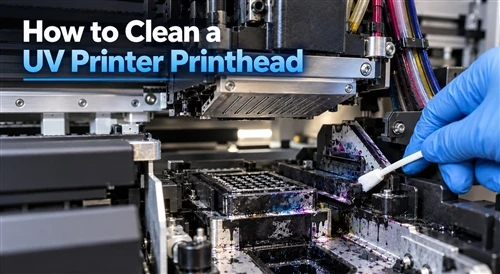
Daily printhead cleaning and capping, regular ink circulation checks, periodic UV lamp output verification and routine mechanical inspection. Compared with screen printing there is no screen storage, no reclaiming and no solvent cleaning, which meaningfully reduces daily production overhead.
Can one machine print both flat glass and bottles?
A flatbed with a rotary attachment can, but each diameter change requires fixture setup and recalibration. For daily cylindrical production a dedicated rotary machine is faster and produces fewer rejects; for occasional bottle jobs alongside panel work, a flatbed with an attachment is the more economical single-machine choice.